Generative AI workflows
Designing patent drafting as a cloud-based, agentic AI workspace, and rebuilding Rowan Patents' desktop tool from the ground up as the sole product designer on the project.
Clarivate provides trusted intellectual property data, software, and expertise that help companies drive innovation and protect critical IP assets. Rowan Patents software brings together every element of a patent application (specification, claims, drawings, and abstract), cutting down laborious busywork like part numbering and claim support tracking.
My mandate: lead the end-to-end design of Rowan Cloud, an AI platform replacing the legacy desktop tool with an agentic drafting experience.
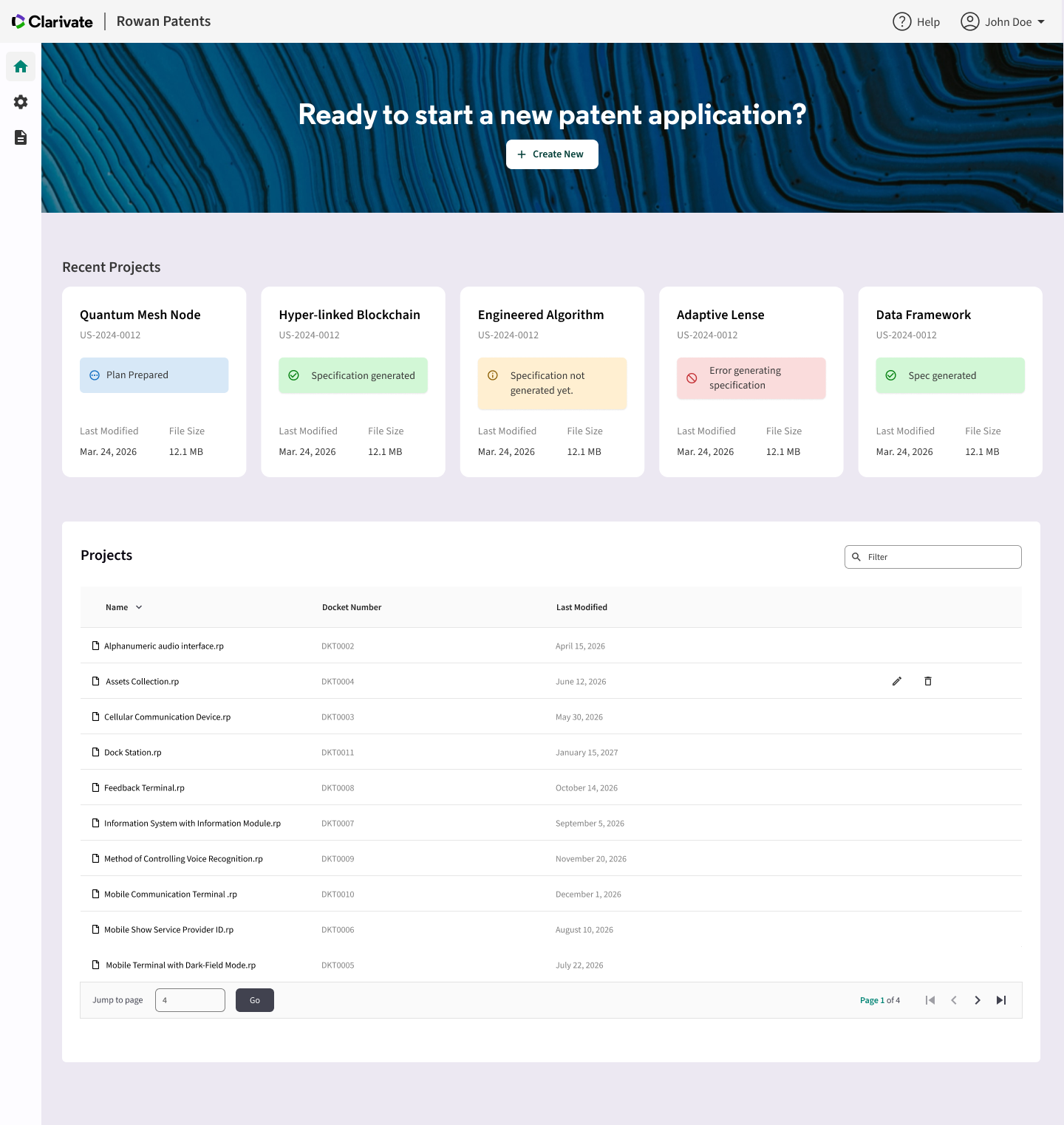
Rowan's existing desktop architecture couldn't meet the level of AI-assisted drafting practitioners had started to expect. Competitors like Solve Intelligence, DeepIP, and Patlytics were resetting the bar for speed, automation, and accessibility. The drafting process itself wasn't changing, but the expectation for how fast a usable first draft could appear was moving fast.
The real question: could Rowan's architecture, information design, and interaction model support an AI-native workflow?
Two audiences had to share one workspace:
- Internal practitioners: Clarivate's internal drafting services team, who draft patents on behalf of clients as a paid service.
- External customers: patent law firms and in-house patent attorneys who draft and manage their own applications.
I owned the end-to-end design of Rowan Cloud: research and synthesis, information architecture, prototyping, usability testing, and visual design. Beyond the design work itself, I helped shape how the product was built. I joined the product management meetings where feature milestones were defined, which set the sequence engineering built in. I also ran a weekly design critique with PMs and engineers to keep design, scope, and feasibility aligned throughout development. Also, I wrote the project’s design principles doc at kickoff.
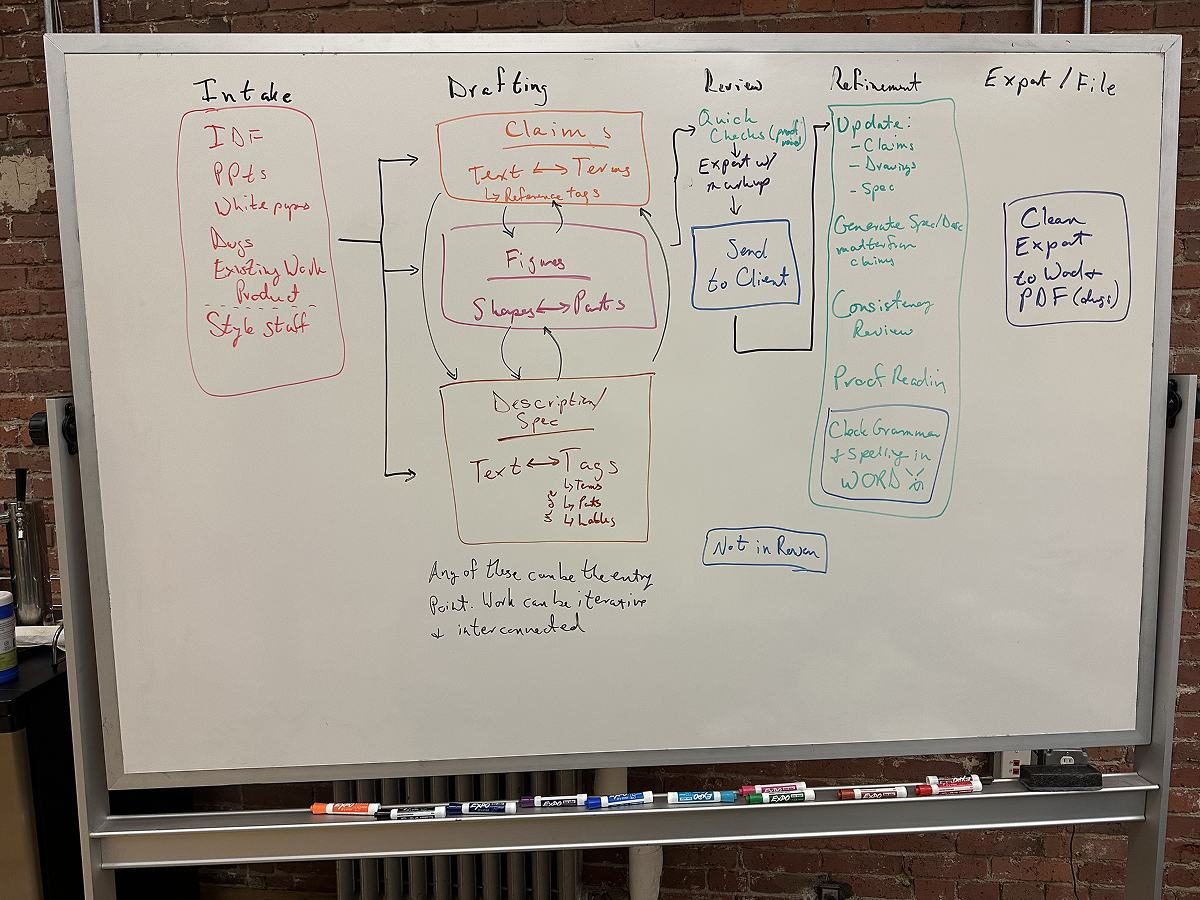
- Cloud migration: the product had to move from a desktop application to a cloud solution, a fundamental shift in architecture, not just a visual refresh.
- Generative AI & agentic features: the product had to feel meaningfully faster and more automated without sacrificing the accuracy patent professionals depend on.
- Trust and accuracy: the product had to maintain the quality and accuracy patent professionals depend on, even as more of the drafting work moved to AI.
At kickoff, I wrote a set of design principles to align PMs, engineers, and SMEs on what Rowan Cloud should feel like: intuitive, focused, and confidence-building from the first minute. The goal was clarity over complexity. Attorneys should be able to start drafting right away, stay in flow, and pick up more advanced, AI-driven ways of working as their trust and expertise grow.
These principles became the shared yardstick in weekly design critiques and milestone planning.
1. Approachable by design
A low barrier to entry, with a path to mastery. Users always see what needs to happen next, get guidance in context, and have a clear way to recover when something goes wrong. Over time, they learn shortcuts that speed up their workflow.
In practice: the step-by-step wizard makes each phase of drafting visible, so a first-time user knows where they are and what's left.
2. Progressive disclosure of capability
Reveal complexity gradually, through stages, context, and expandable controls. Advanced controls sit behind simple buttons, expanders, and tooltips until they're needed. In the document workspace, the UI recedes so the draft looks as close to a real page as possible.
In practice: input outlines hide when not selected, and users can arrow up and down between claims, keeping the focus on the application rather than the tool.
3. Predictable foundations, intelligent assistance
Anchor the experience in transparent, deterministic behavior, and use AI to accelerate work without taking away control. Manual controls stay discoverable but don't compete for attention. As practitioners build trust, they can hand more of the work to agentic AI.
In practice: a structured data model handles part numbering and claim support, so the AI builds on reliable foundations rather than generating everything from scratch.
4. Flow-first interaction
Cut friction, visual noise, and unnecessary navigation so users focus on drafting and thinking, not managing the tool. Users can navigate back and forth between earlier steps as desired, but aren't required to. Non-essential steps are optional.
In practice: the four input use cases let users write claims directly in the editor instead of being forced to upload a claims file.
5. Trust through transparency and recoverability
Clearly communicate system state and AI behavior, and make it safe to review, undo, and explore. The AI makes its rationale visible. Review and confirmation of changes makes large changes low-stakes.
In practice: the Plan step lets users steer the AI before generating, and agentic edits appear as markup users accept or reject, never silent rewrites.
My Process
I met with 5 members of Clarivate’s internal drafting team and 4 external patent attorneys, covering both audiences who would share this workspace, and benchmarked Rowan’s desktop tool against AI-native competitors like Solve Intelligence, DeepIP, and Patlytics.
The clearest finding: practitioners wanted a fast, credible first draft built from whatever inputs they already had, not a rigid intake form. The internal service teams focused primarily on efficency and time savings. External patent attorneys prioritzied high quality output.
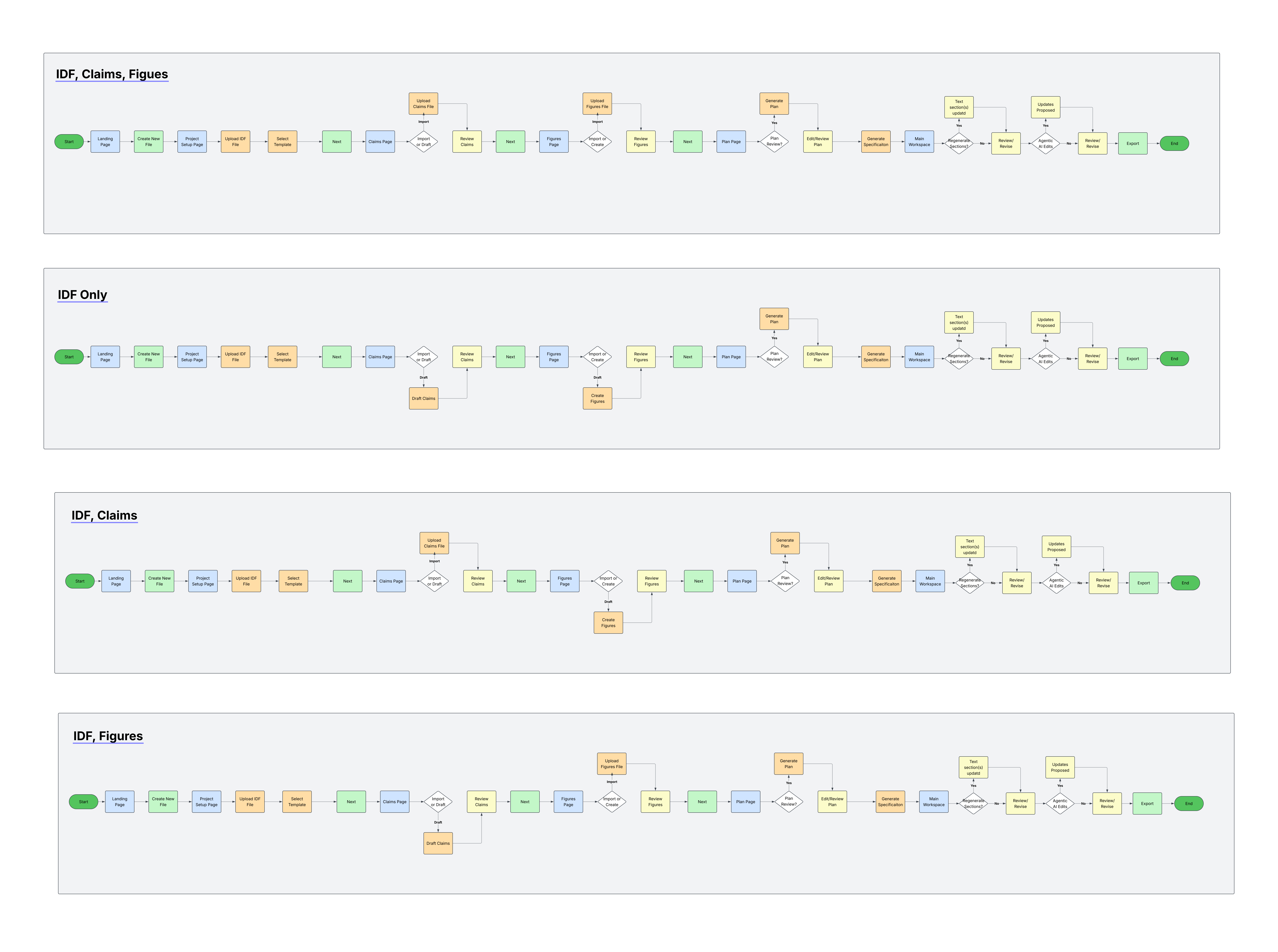
That shaped four core use cases: IDF only, IDF + existing claims, IDF + drawings, and IDF + claims + drawings. This mattered because the product had to flex around whatever a practitioner already had, rather than forcing everyone through the same intake.
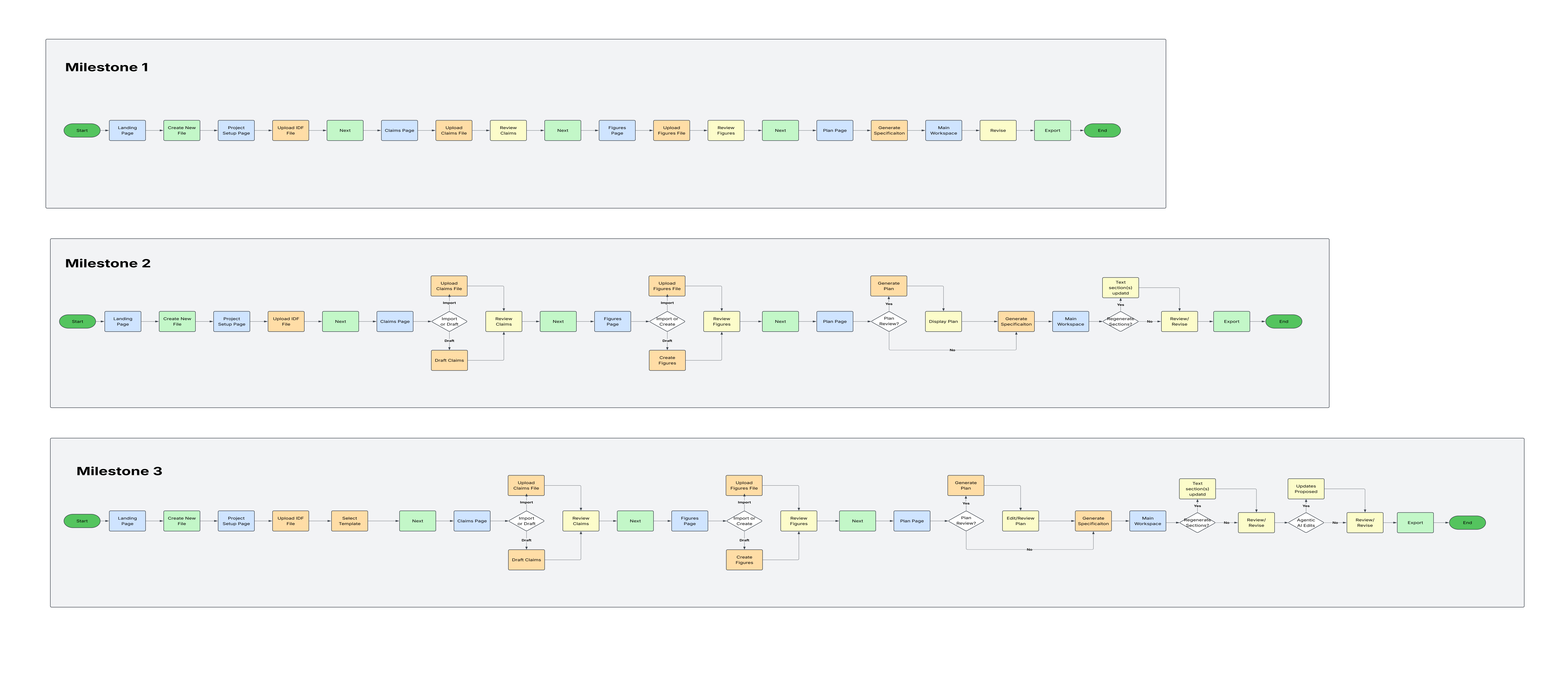
Using the four use cases, I mapped the information architecture and task flows for the new platform, then built rough wireframes to test the shape of the experience with users and stakeholders, in particular the wizard's steps and how imported material (specs, disclosures, drawings) would be handled. I took each revision back to the same group of internal drafters and external attorneys, which is how the first task flows evolved into the revised flows below.
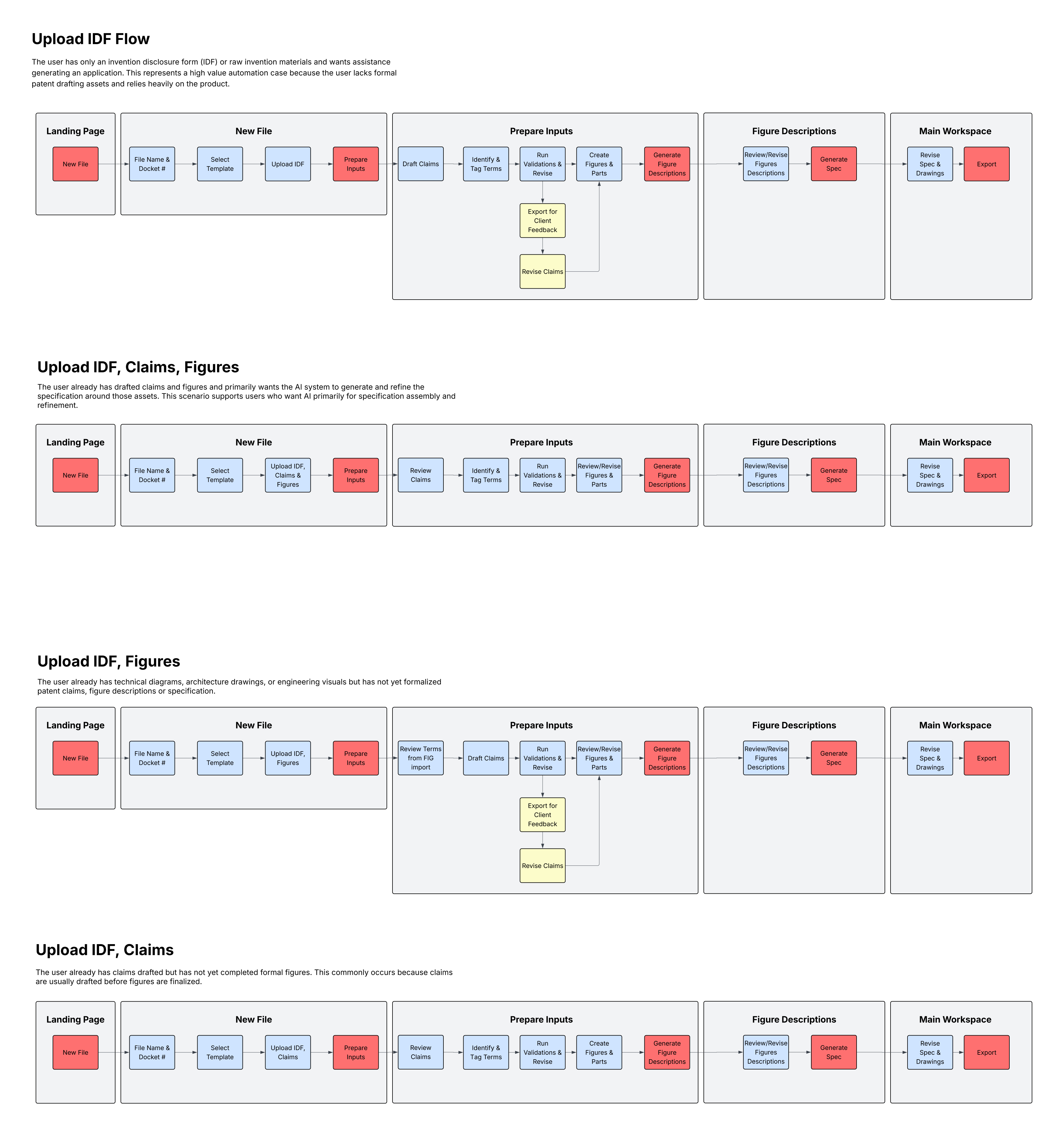
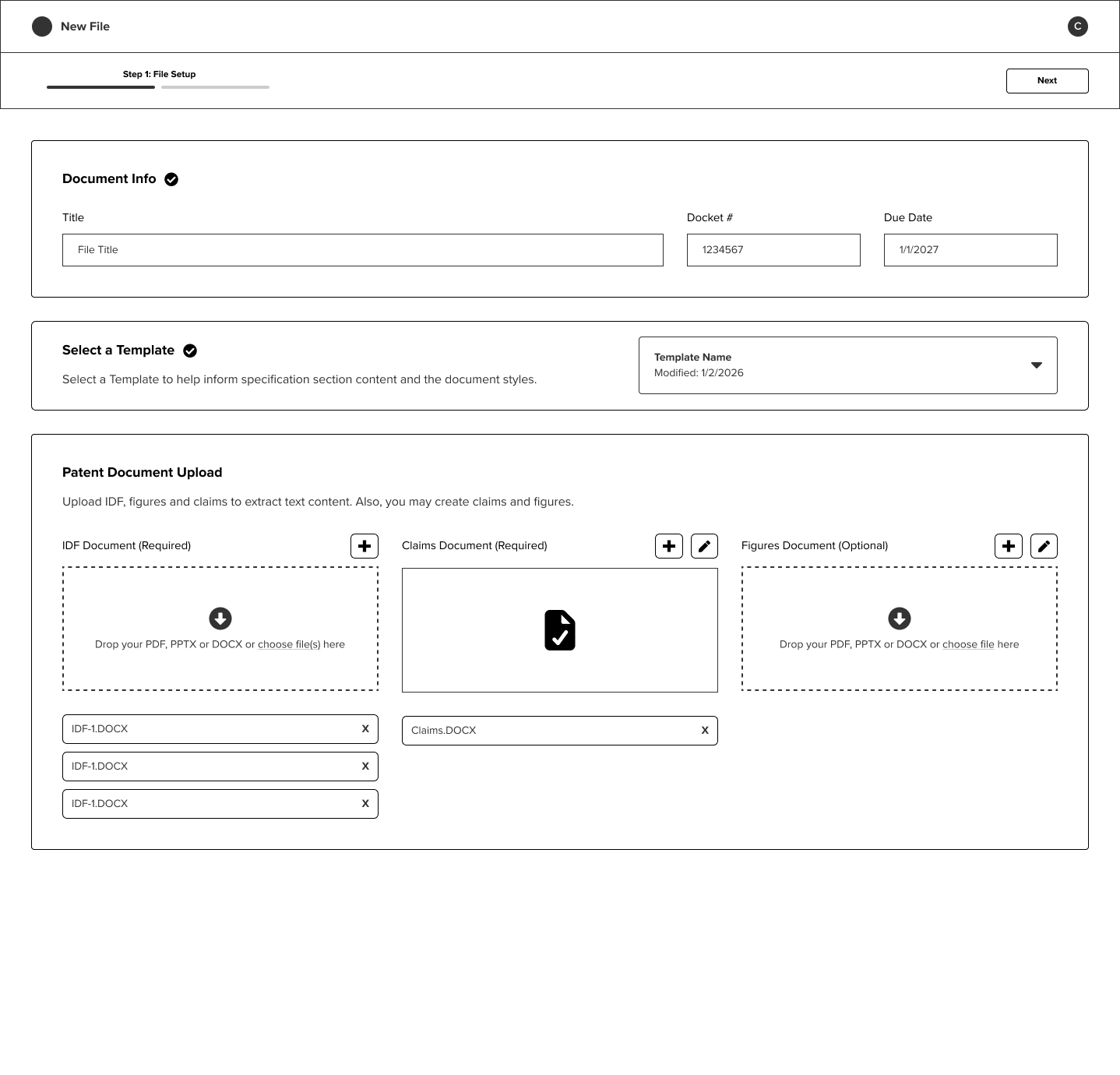
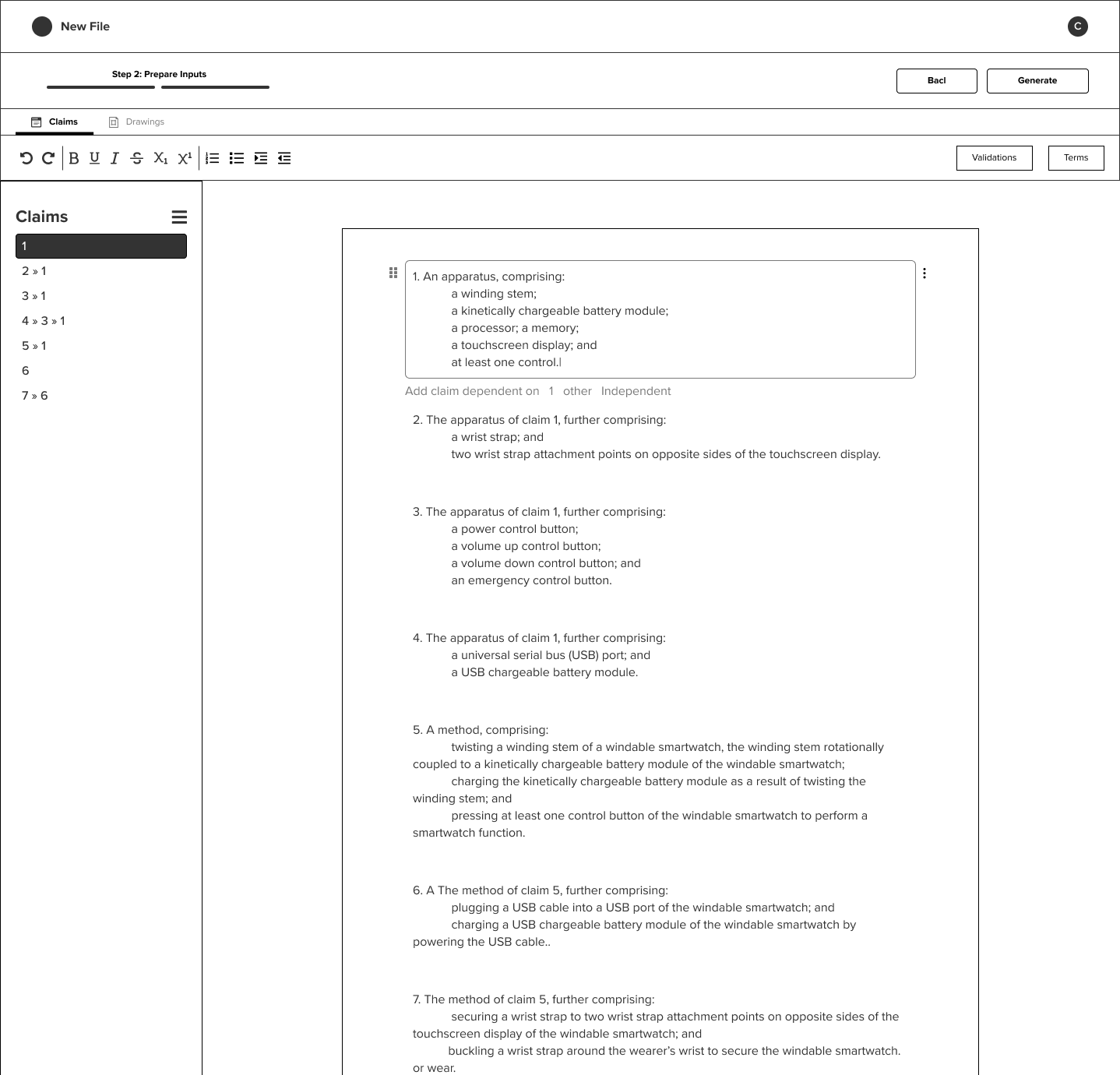
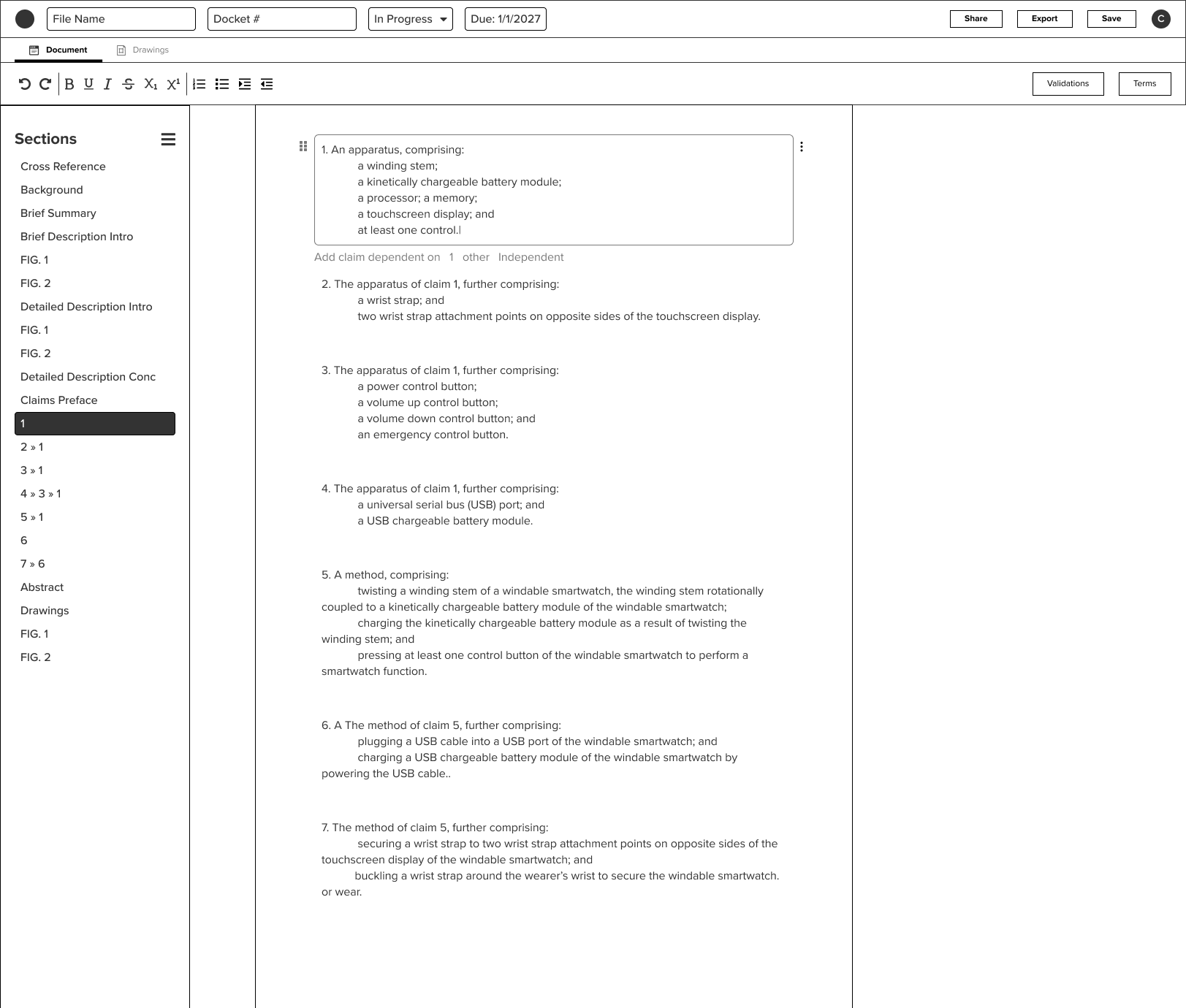
A simple workflow: New File → Prepare Inputs → Generate. New File captured document info, template selection, and an optional upload of the IDF, claims, and figures, all on one screen. Prepare Inputs let practitioners build from a blank state or edit imported claims and figures through a tabbed interface. Generate produced the rest of the application and dropped the practitioner into a two-tab workspace.
Version 2
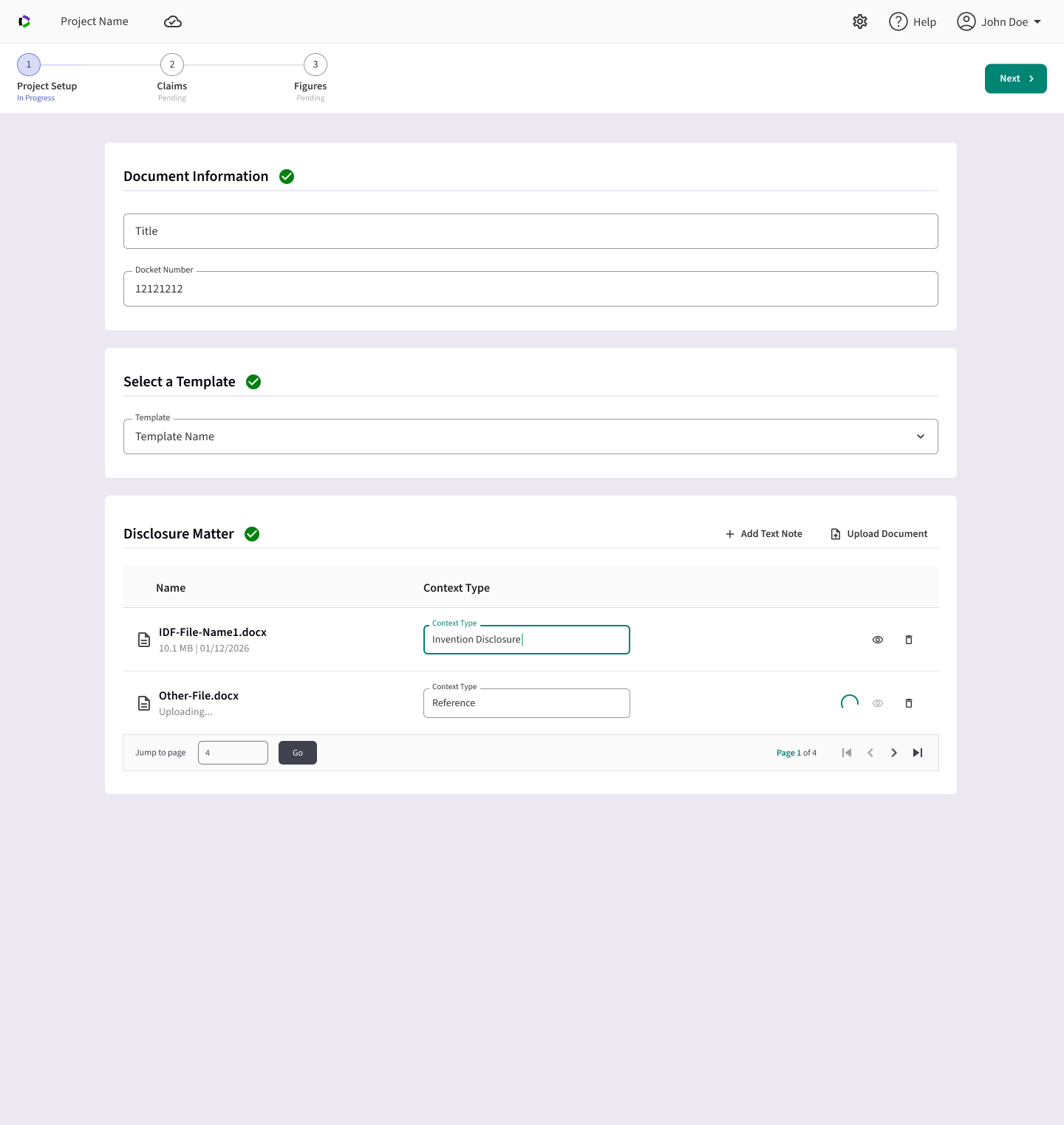
After sessions with drafters and attorneys, “Prepare Inputs” split into sequential steps. Claims and figures import moved to their own steps; IDF upload stayed in Project Setup. Each step let practitioners start from scratch or import a file; either path landed in the same editors.
Version 3
A Plan step before generation, and agentic editing inside the workspace. Attorneys were clear they wouldn’t trust a full generation they couldn’t steer first. Feedback showed practitioners wanted to review and customize the AI's instructions before committing to a full generation, so a Plan step let them review a reference document and send special instructions before generating. Once generated, the Plan's text could be refined before using it as instructions to the AI to generate the rest of the document.
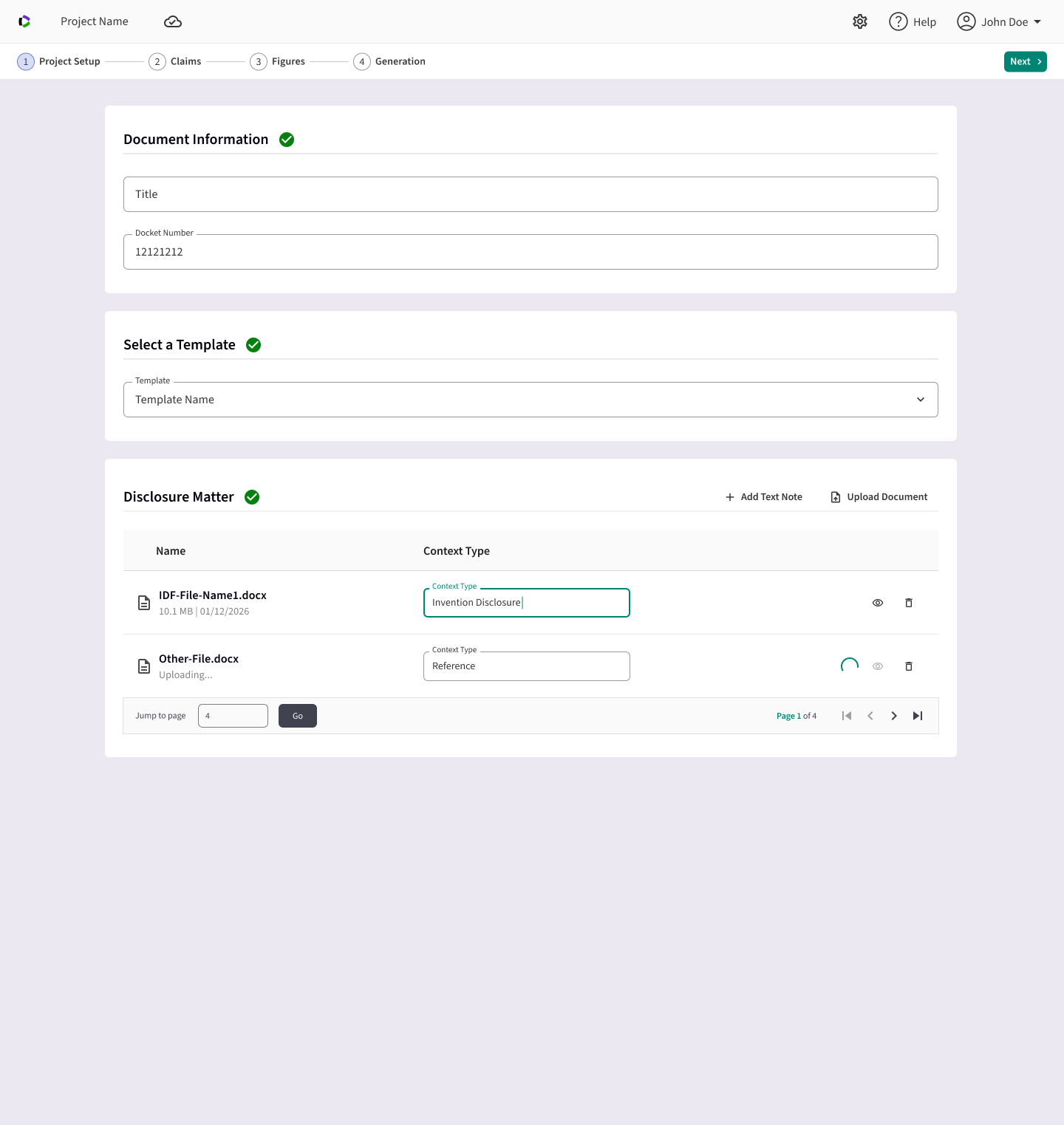
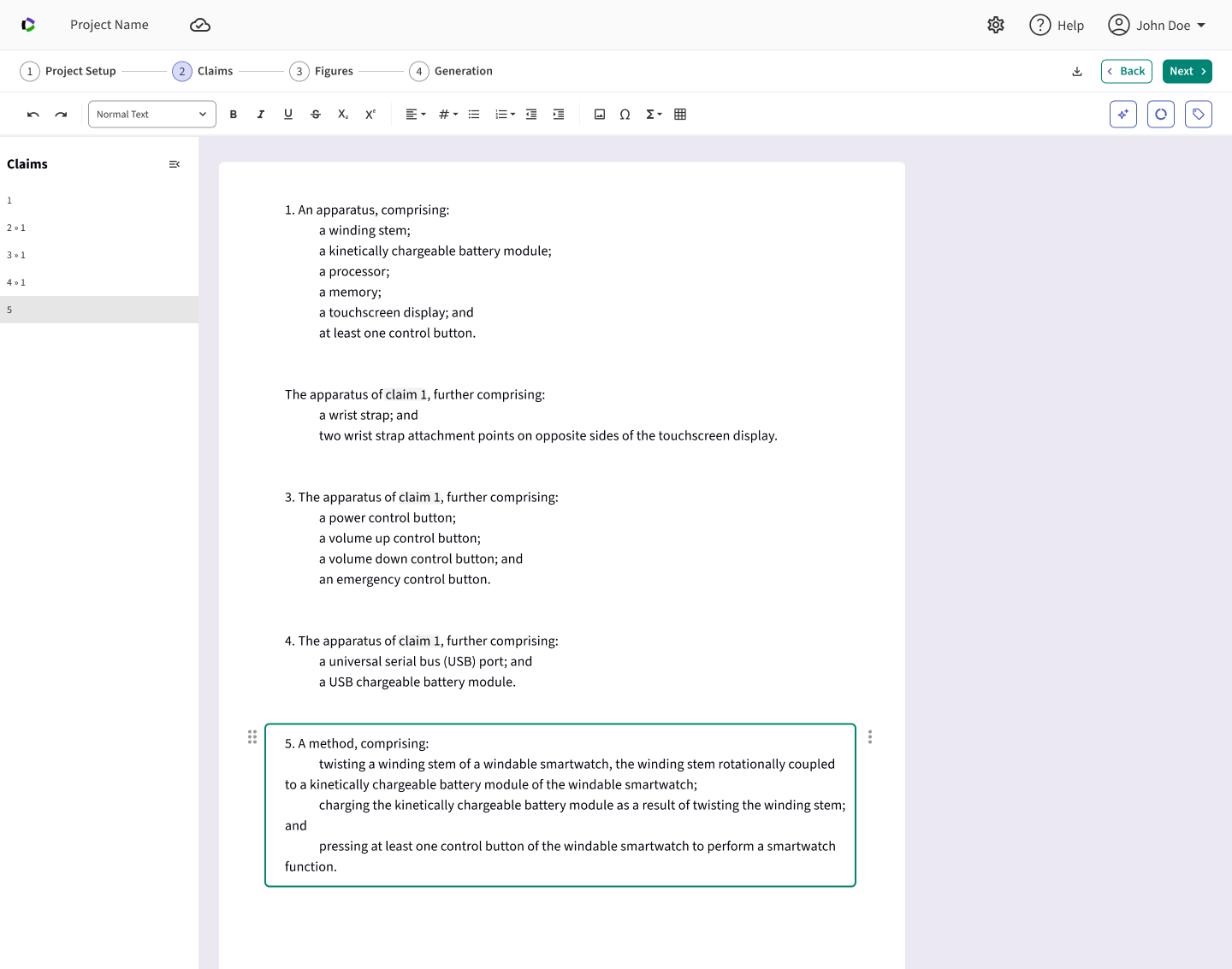
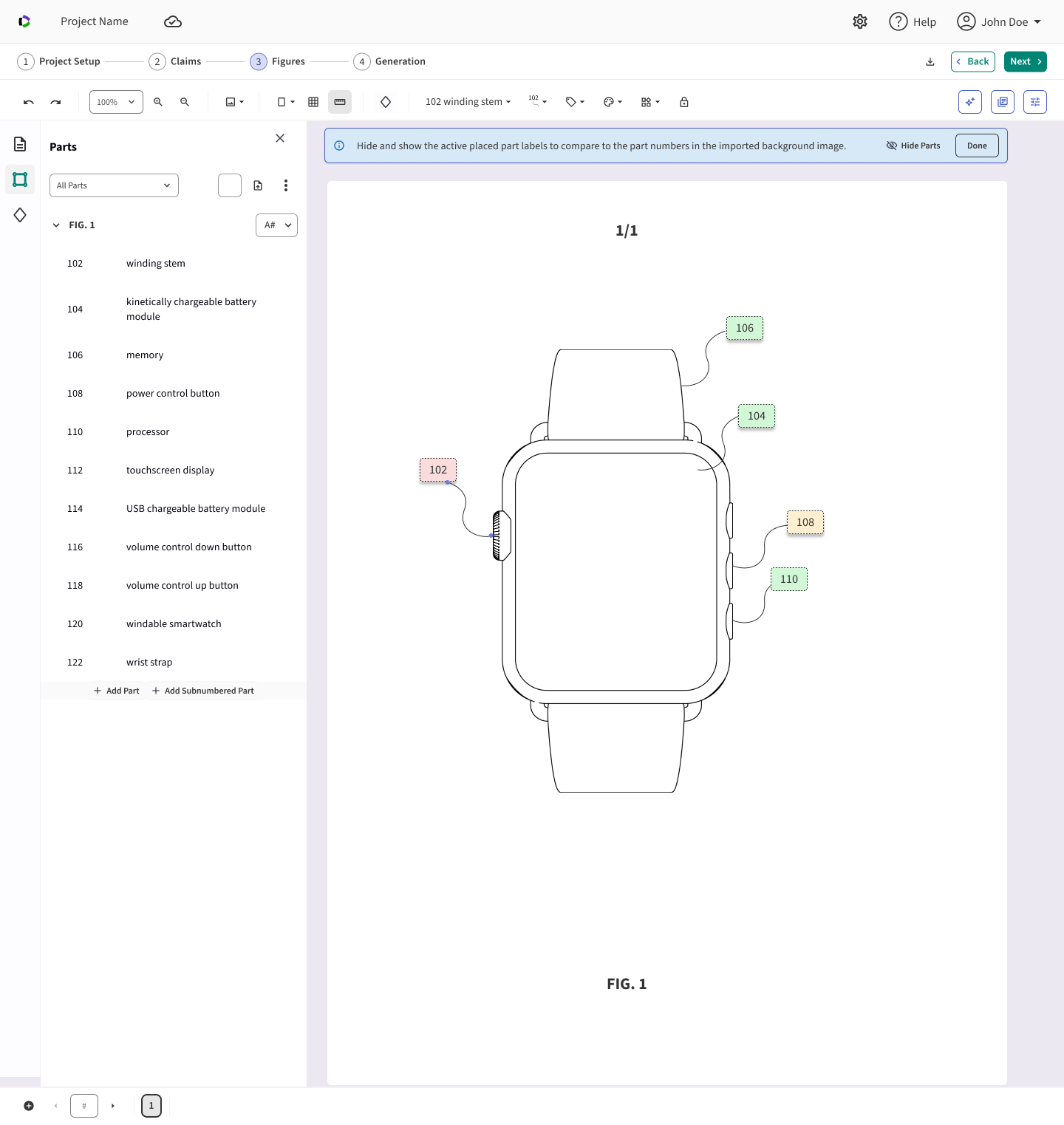
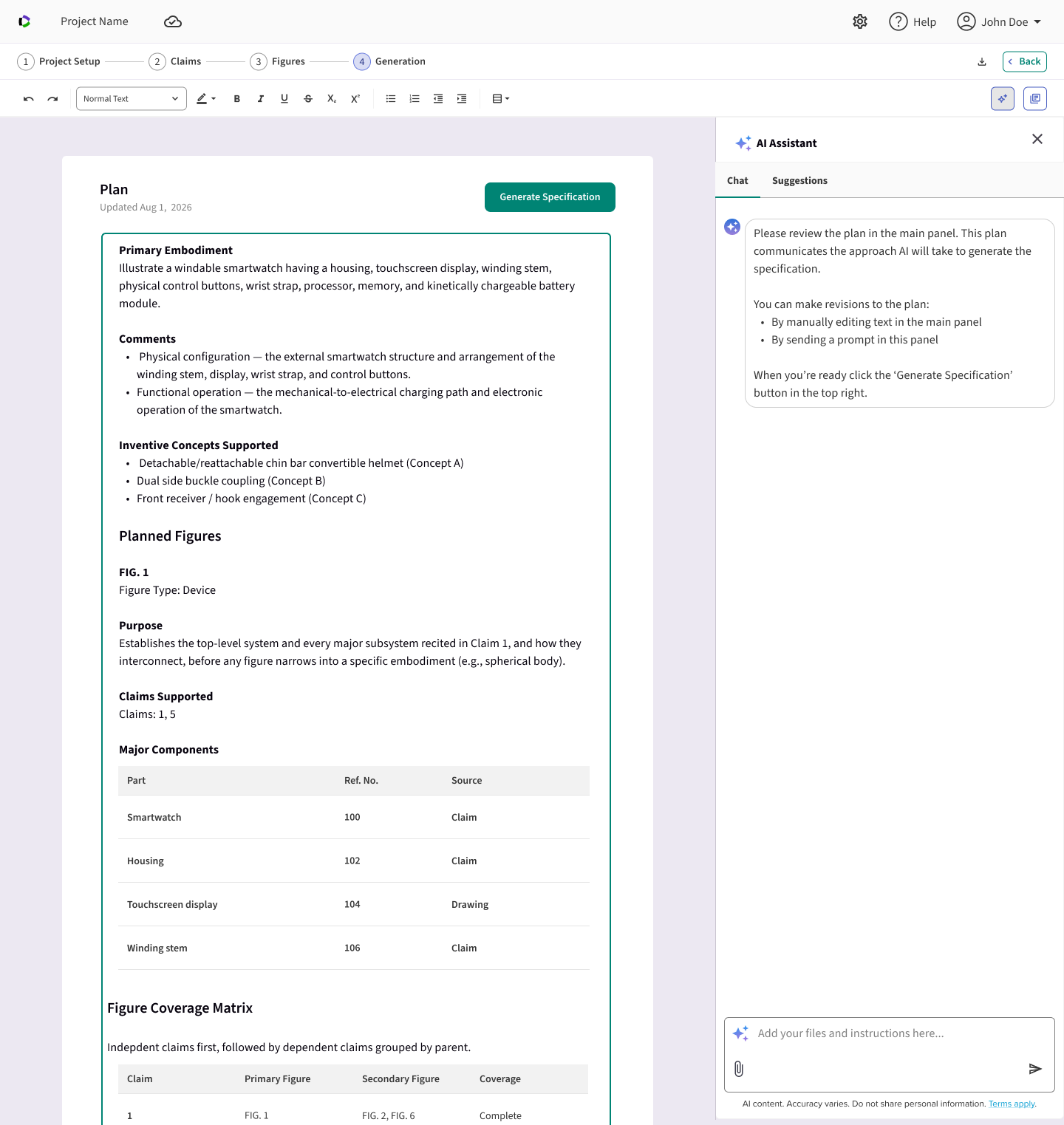
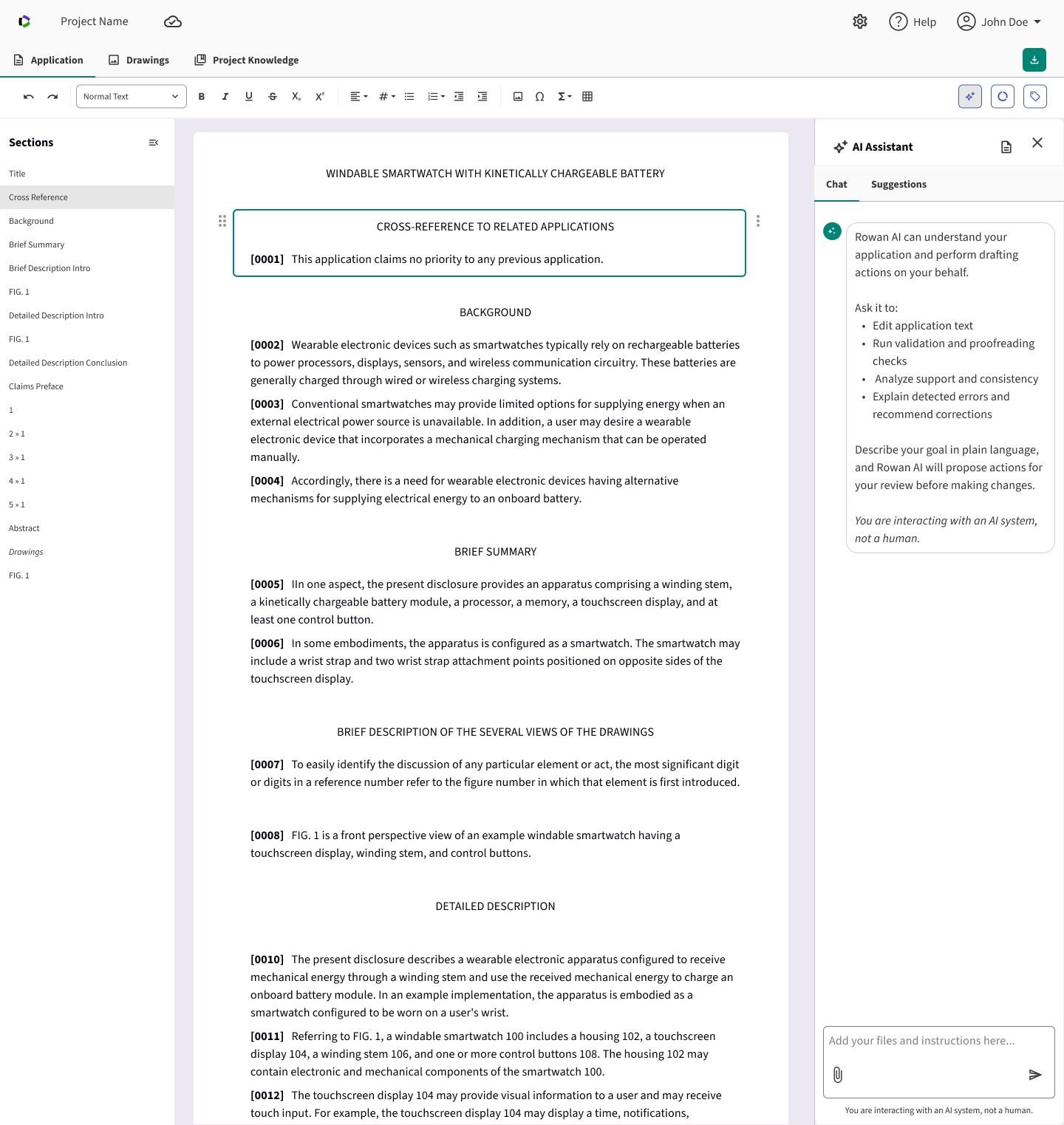
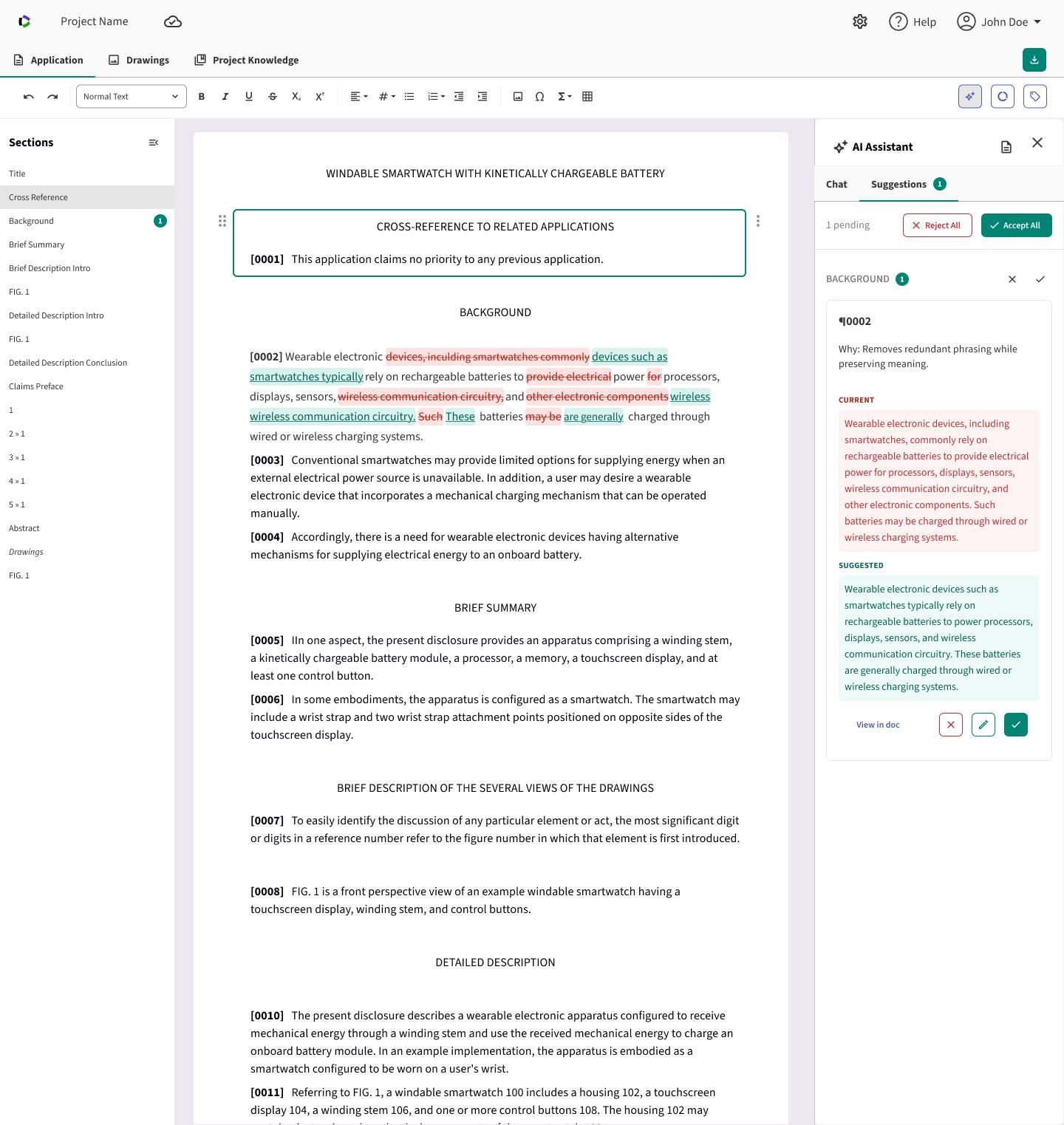
Designing Rowan Cloud didn't stop at handoff. I stayed embedded with product management and engineering from milestone planning through the build.
- Shaping milestones: I joined the product management meetings that defined feature milestones, which set the sequence engineering built in. There, I advocated for agentic AI editing through chat panels in three places: the claims editor, the Plan step, and the document workspace after the specification is generated. Putting the AI assistant where practitioners were already working, rather than in a separate tool, meant they could steer the AI at every stage of drafting instead of only at the start.
- Weekly design critique: I led a weekly critique where PMs and engineers reviewed work in progress against the design principles. It surfaced feasibility issues early and kept everyone working from the same rationale.
- Designing through the build: As engineering built each milestone, I worked through feedback from product management and engineering, refining the designs so they held up in implementation without losing what practitioners needed. One example: in the main workspace, the add section button originally inserted an untitled section by default. After discussing it with the team, we changed it to a button that opens a dropdown of preset section options drawn from the template. Practitioners could now add a standard, correctly named section in one step instead of creating a blank section and naming it themselves.
Reduced complexity
A noticeably shorter learning curve than the legacy desktop tool, replacing scattered file-system navigation with one organized flow.
Addressed the core need
Speed, flexibility, and accuracy in patent drafting: exactly what customers told us they needed most.
Built for scale
A structured data model under the AI layer keeps drafts accurate, rather than relying on AI output alone like several competitors do.
A modern, approachable UI
Replacing a dense, file-based tool with an approachable interface was itself a major part of the value delivered.
"Adding AI" to a professional tool isn't a feature decision. It's an interaction-design problem.
The features that mattered most weren't the ones that automated the most. They were the ones that made the system's reasoning visible at every step, so practitioners could trust a faster process without giving up control.