Escape the Playlist
A website that recommends whole albums from a curated list of 400, so listeners can stop scrolling and start listening. Designed, tested, built, and launched on my own.
Escape the Playlist is a personal project that I took from idea to live product. I was the sole creator, handling all of the design, user feedback, code, and deployment, and I coded the site using Claude.
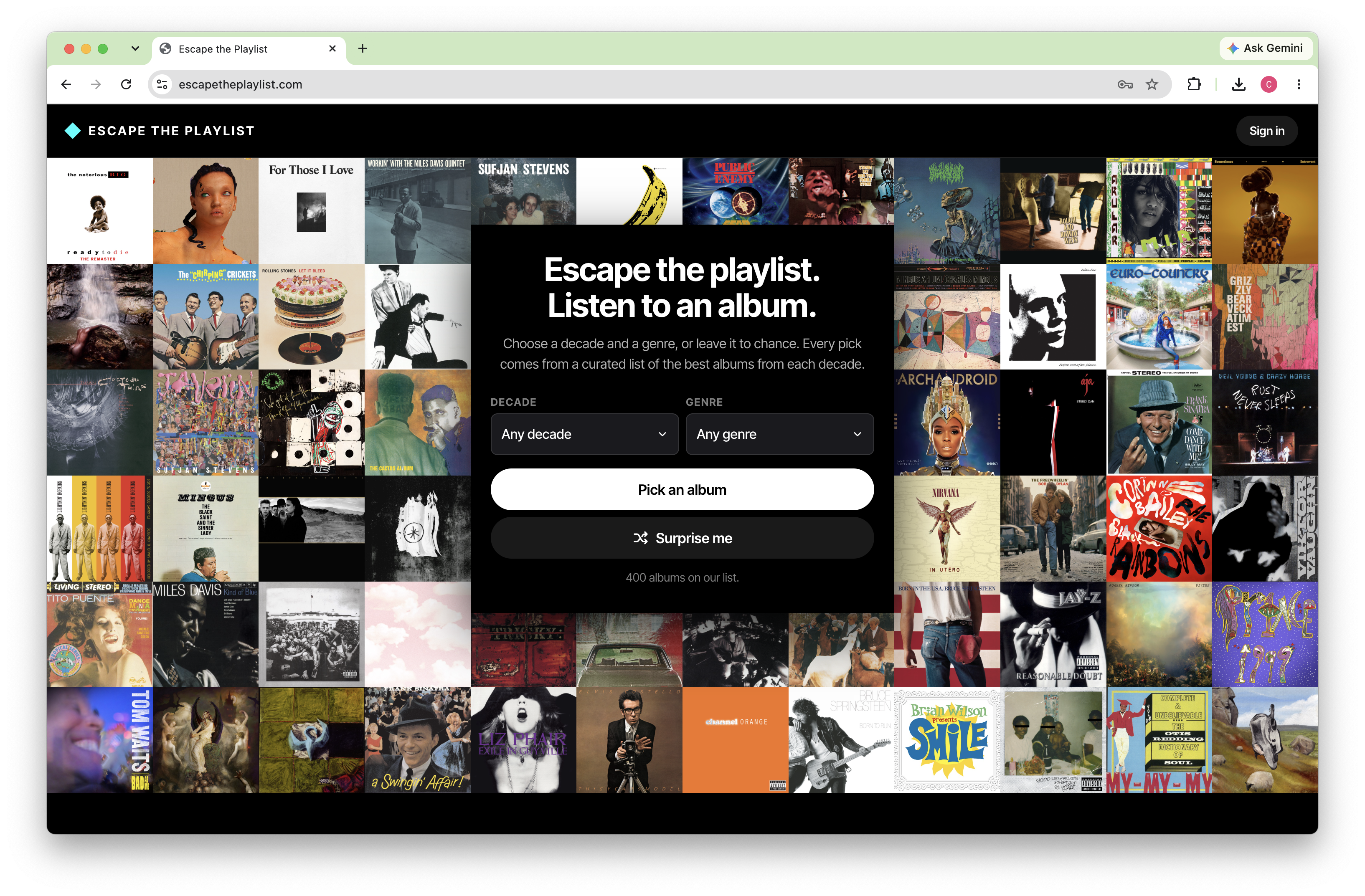
Streaming made every album available and made it harder to sit down with one. Three things work against the album listener:
- Playlists come first: modern streaming apps are built to keep users engaged, and they do it by prioritizing playlists over album listening.
- Discovery is narrow: recommendation algorithms lean toward tracks that sound like what a listener already plays, which hurts the discovery of new music.
- There is too much to choose from: with an overwhelming catalog, the paradox of choice sets in. It is hard to pick one album and listen to it the way music lovers did when there was only physical media: records, tapes, and CDs.
Music streamers who want help choosing high-quality albums to listen to. They already have access to nearly everything. What they lack is a trusted, low-effort way to decide what to put on next.
My Process
What if there was one place users could go to get an album recommendation and discover great albums?
I started with what a listener would want to know and how they would want to receive a recommendation. That gave me three requirements:
- A random pick they can trust: randomness removes the decision, but only if every possible result is worth hearing. The recommendations had to come from a well-curated list.
- A way to narrow the field: decade and genre are broad enough to stay simple, yet they let users filter out music they are not interested in.
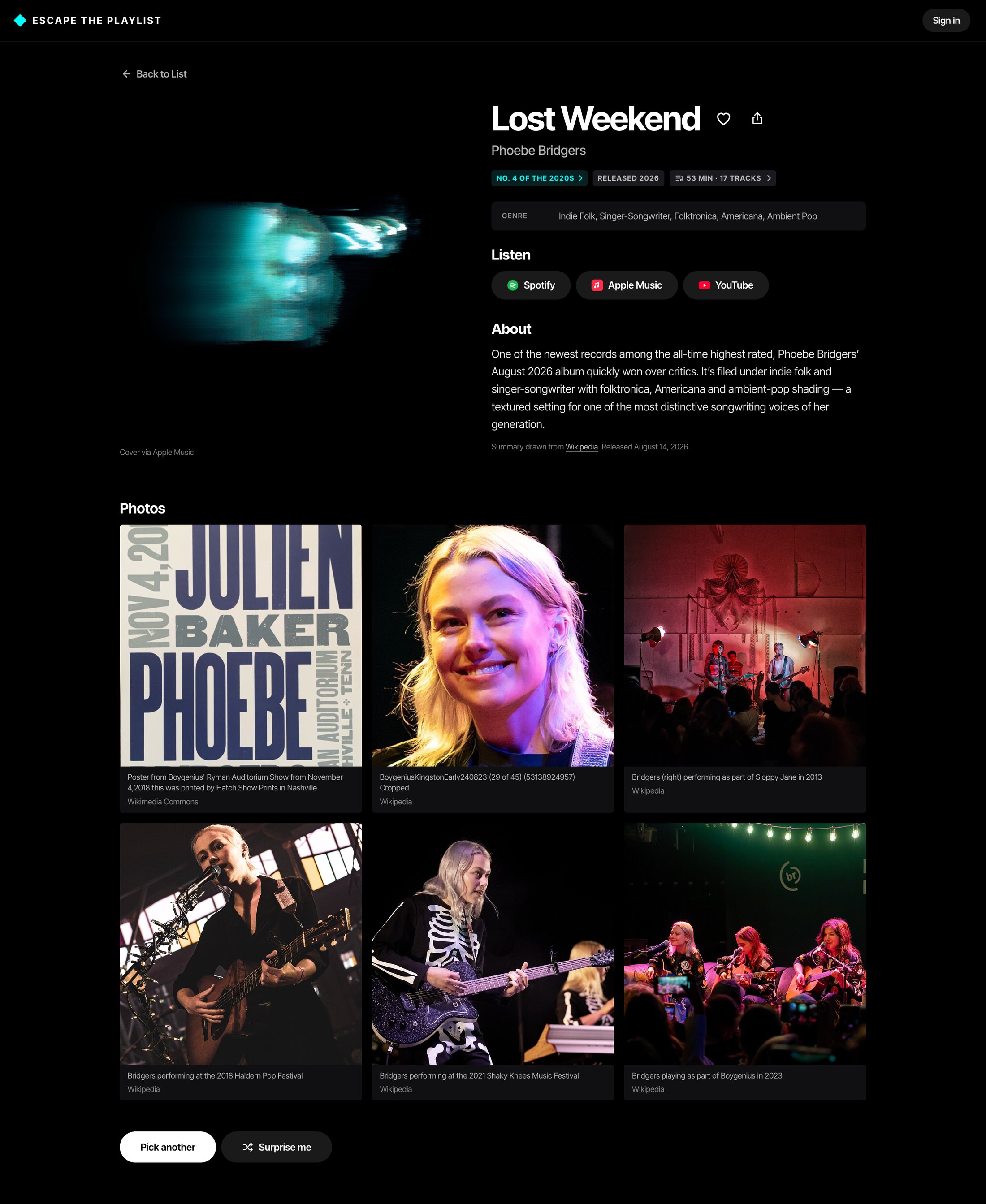
- Just enough information: each album needed enough detail to give users a sense of whether it might be right for them, and no more.
The album page came out of that third requirement. It shows the album cover, title, artist name, release year, where it ranked in the list, a brief summary, photos, and listening options.
Before designing screens, I worked out the logic and rules that would make the idea work.
The album list. Each of the 400 albums is one entry that holds everything the site needs:
- Title, artist, and release date
- Decade, and rank within that decade (1 to 50)
- Genre tags, plus the broad genre groups that drive the genre menu
- The album's IDs on Spotify and Apple Music
- The matching Wikipedia article name
Rankings. Rankings exist only within a decade. Each decade has its own No. 1 through No. 50, and there is no overall 1-to-400 ranking.
Filters. The decade and genre menus narrow the 400 albums down to the ones that match both choices. "Any" means no restriction. Every feature that depends on the filters uses that same filtered set.
The site offers two buttons, Pick an Album and Surprise Me. I considered two approaches for how they would suggest an album.
Option 1: straight to an album
- Pick an Album takes the filters into account and opens a random album page from the filtered list.
- Surprise Me ignores the filters and opens a random album page from the full list.
Option 2: a list, then an album
- Pick an Album takes the filters into account and shows the filtered list, with 2 to 3 recommendations at the top.
- Surprise Me takes the filters into account and opens a random album page from the filtered list.
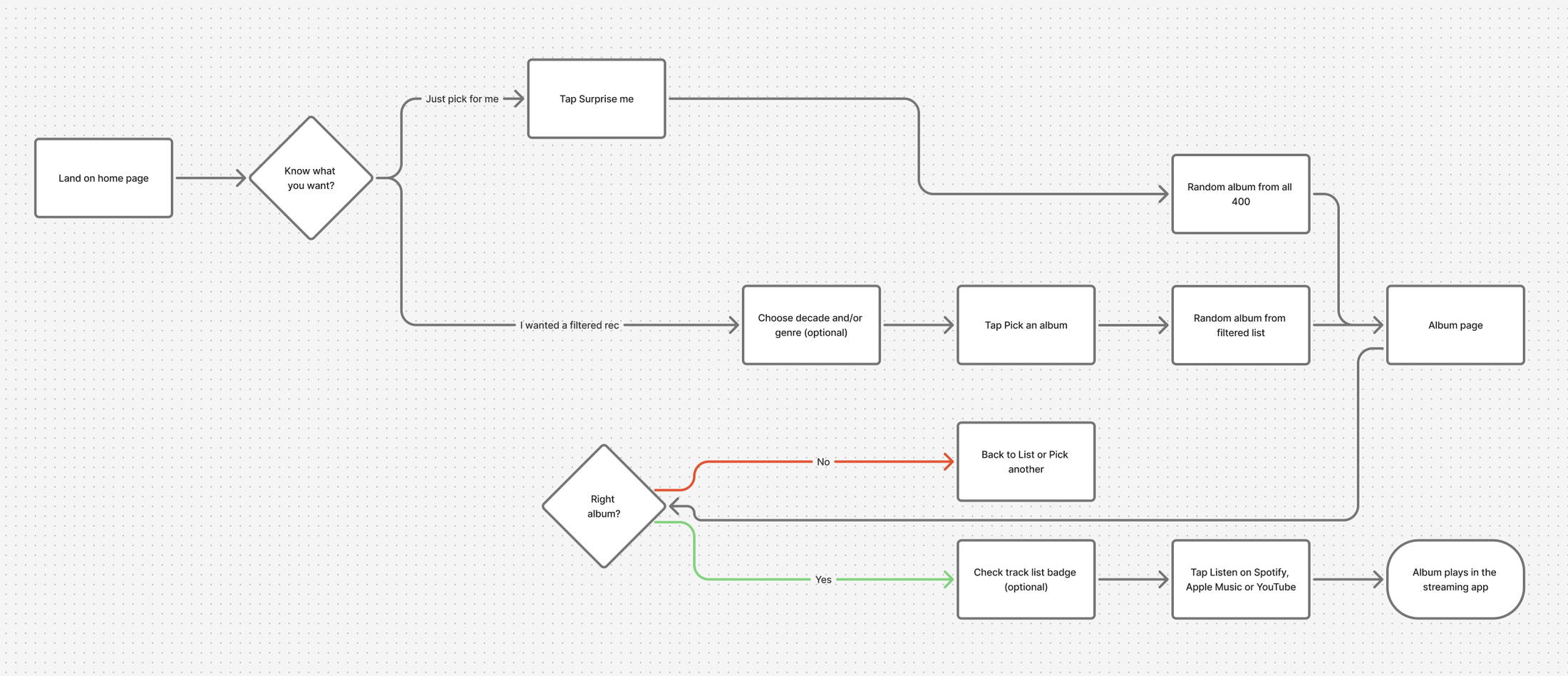
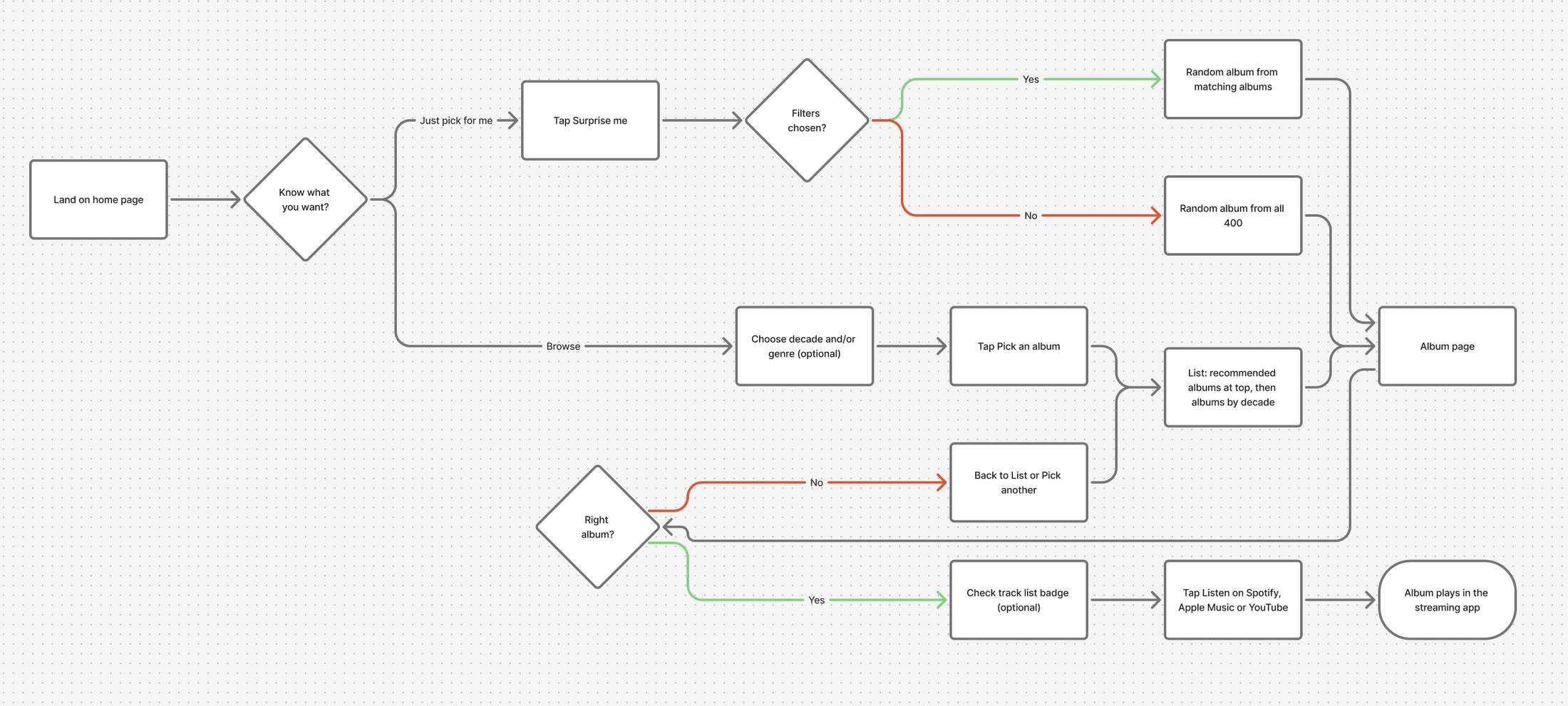
To choose, I conducted A/B user testing. I had 10 users complete click-through navigation tests and asked what they expected to happen.
The majority of users aligned with Option 2, and a couple weren't sure what they expected. I went with Option 2.
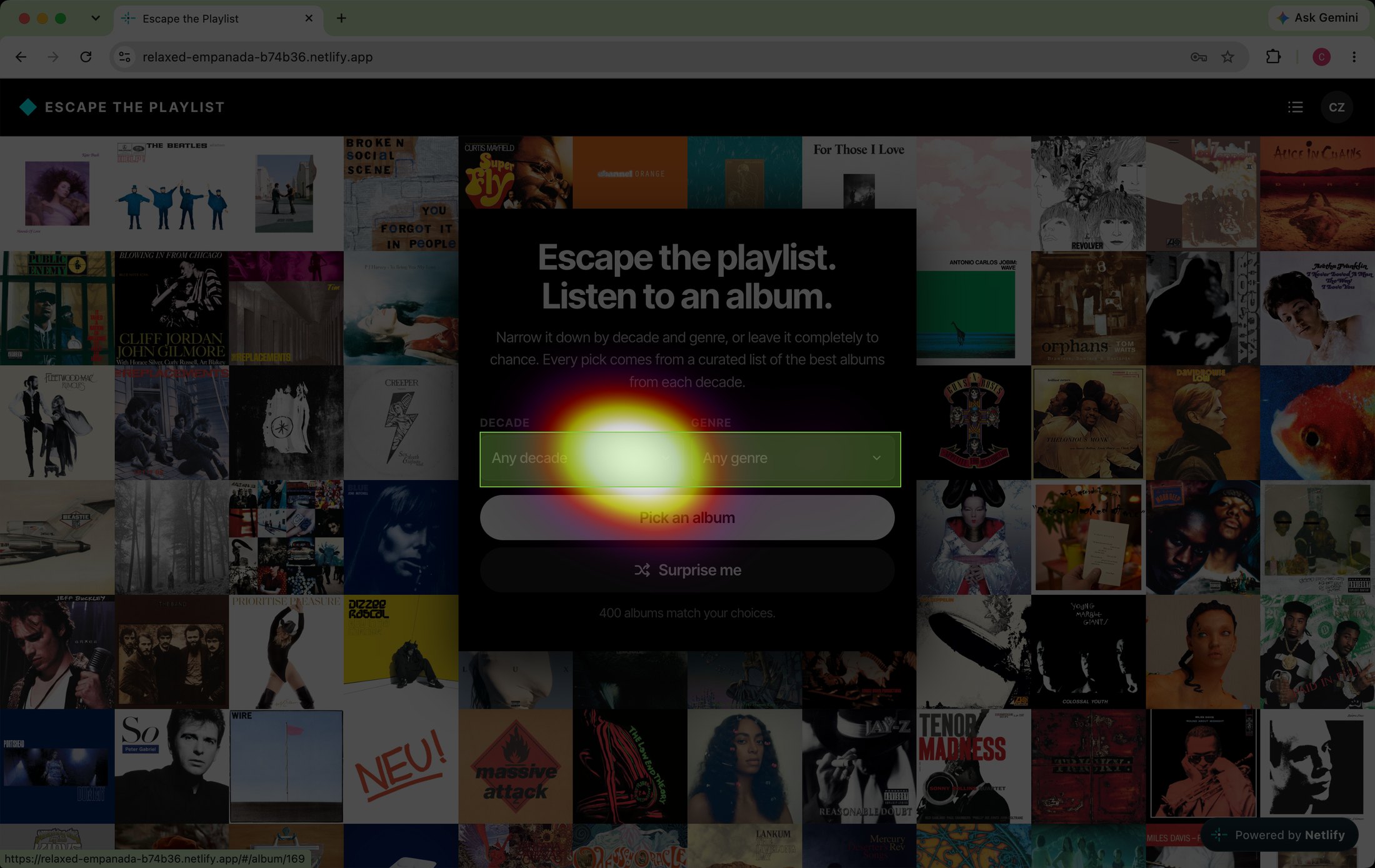
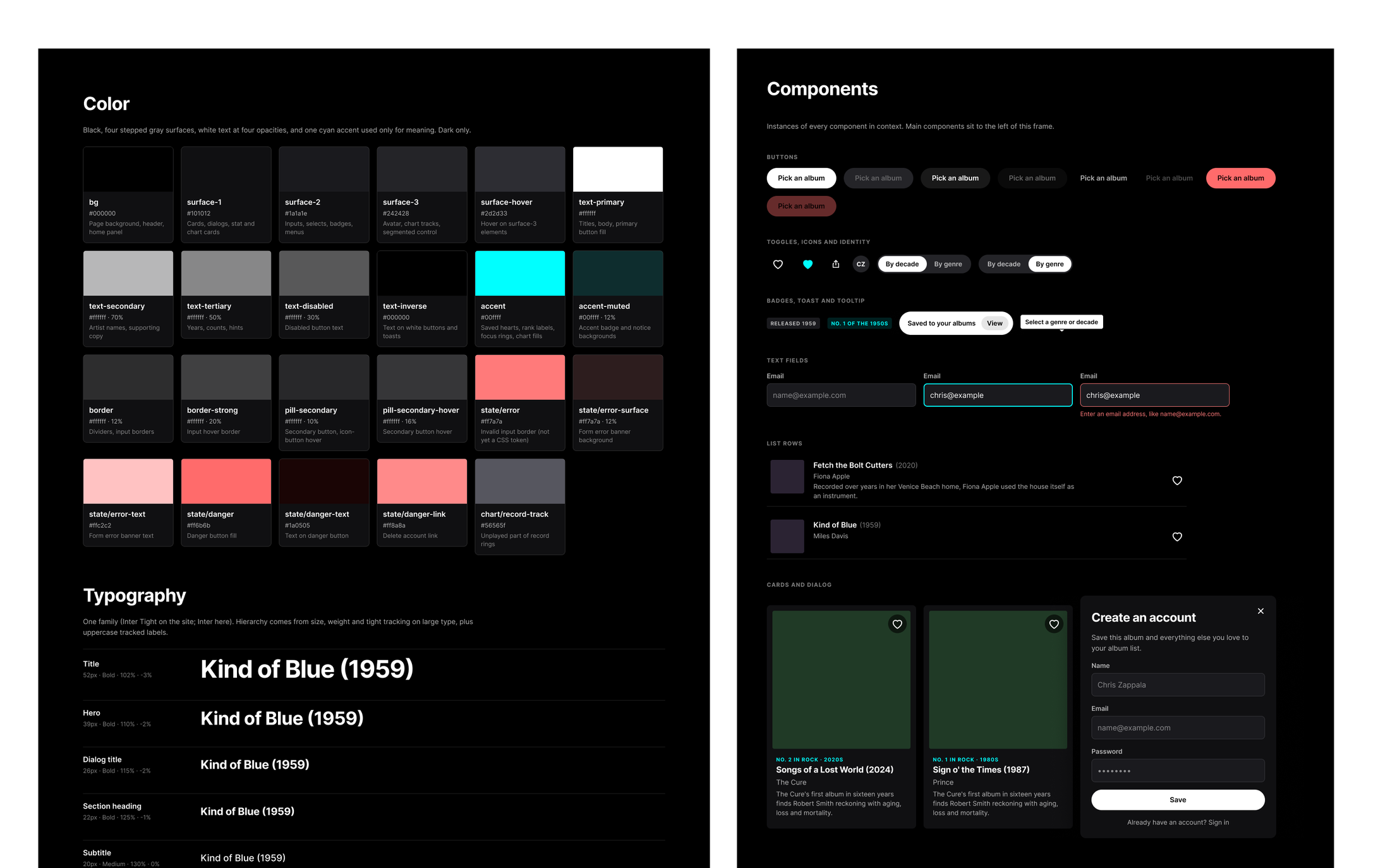
Prior to testing, I defined a design system and crafted the landing page. The direction: a dark, cover-art-first interface for picking whole albums from a curated list of 400. Quiet chrome lets the album art carry the color, and a single cyan accent is reserved for meaning.
I came up with different home page concepts:
- Simple: the filters take center stage, supported by a record graphic.
- Album-art forward: a grid of album covers conveys how a user's choices affect the list, adjusting based on which filters are applied.
If there are more albums on the landing page than there is real estate, the user can scroll down to see them all.
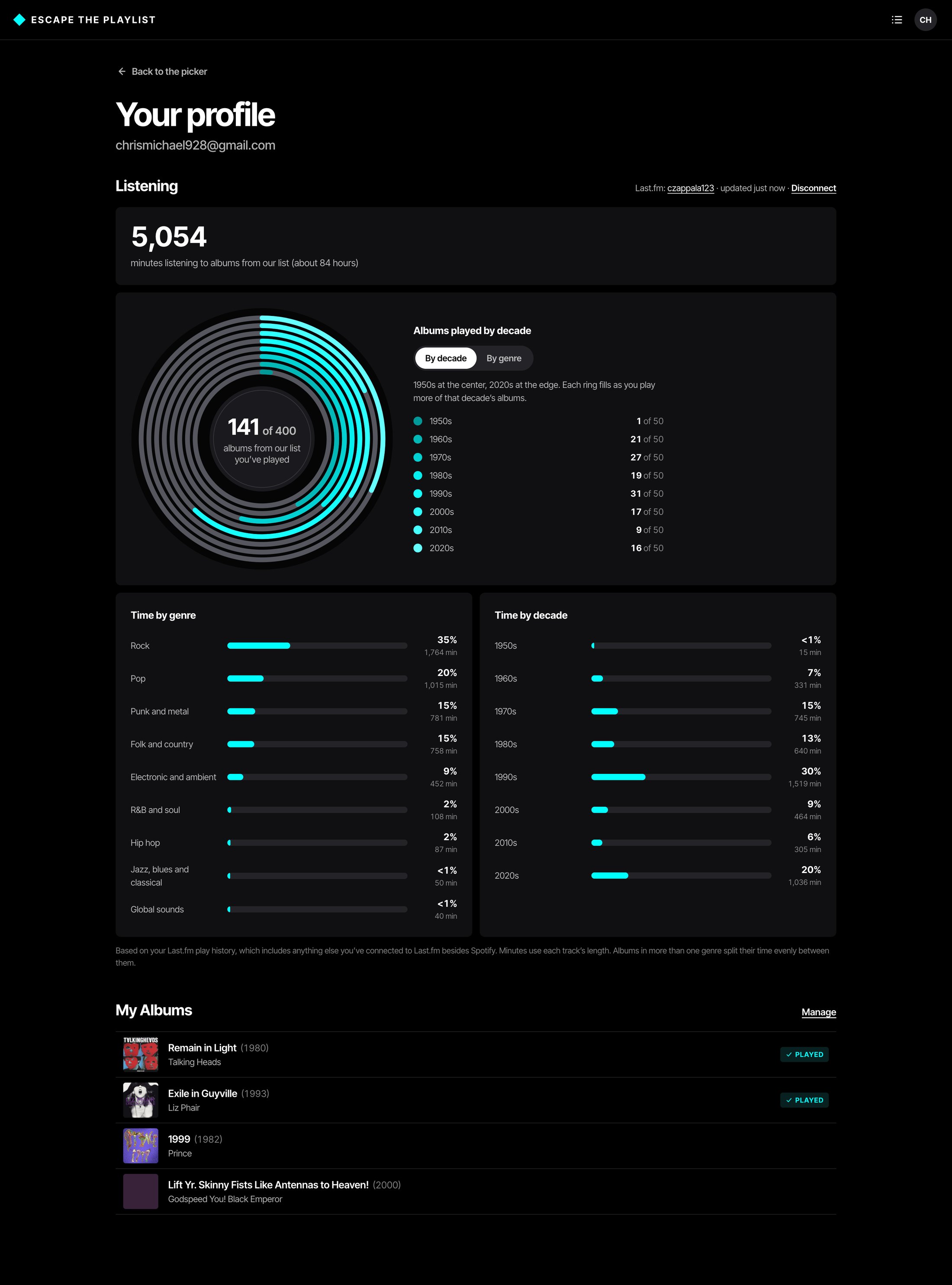
To promote return visits, I added the option for users to create an account so they can track progress and save lists.
- Save albums: users add albums to their personal list.
- Set reminders: users set reminders to listen to albums.
- Track progress: users visit their profile page and connect Last.fm to see how far they have worked through the list.
- See listening data: users get data visualizations of their listening habits as they relate to the recommended album lists.
I started with a generic free URL to test and refine the site before moving it to escapetheplaylist.com.
I used Claude as a development partner to take the design all the way to production. Starting from a front-end foundation in HTML and CSS, I worked with it to stand up the database, write and run SQL, and deploy the site, moving from a free test URL to escapetheplaylist.com. The result: I can now take a concept from Figma to a live, data-driven product on my own.