Search for doctors, locations and services
Patients, visitors, and staff had a difficult time finding doctors, locations, and services on Overlake's website. The fix started with understanding why search wasn't working, and then rebuilding the site's structure around it.
Overlake Medical Center & Clinics is a nonprofit regional healthcare system based in Bellevue serving the Eastside community. The health system includes a hospital and a network of primary, urgent, and specialty care clinics.
Patients, visitors, and staff had a difficult time finding doctors, locations, and services while using the website: the problem this project set out to fix.
- Improve the search and filter experience
- Create a solid site foundation for further optimization and additional features
- Increase engagement with the organization through the integration of blog and class offerings
- Prioritize features realistically against budget and deadline
- Enhance site accessibility
- Improve patient, visitor, and staff experience through better-structured information
My Process
I ran research across several methods to understand where the current search experience was breaking down: online surveys, Hotjar video recordings and heatmaps, a heuristic review, competitive analysis, and Google Analytics.
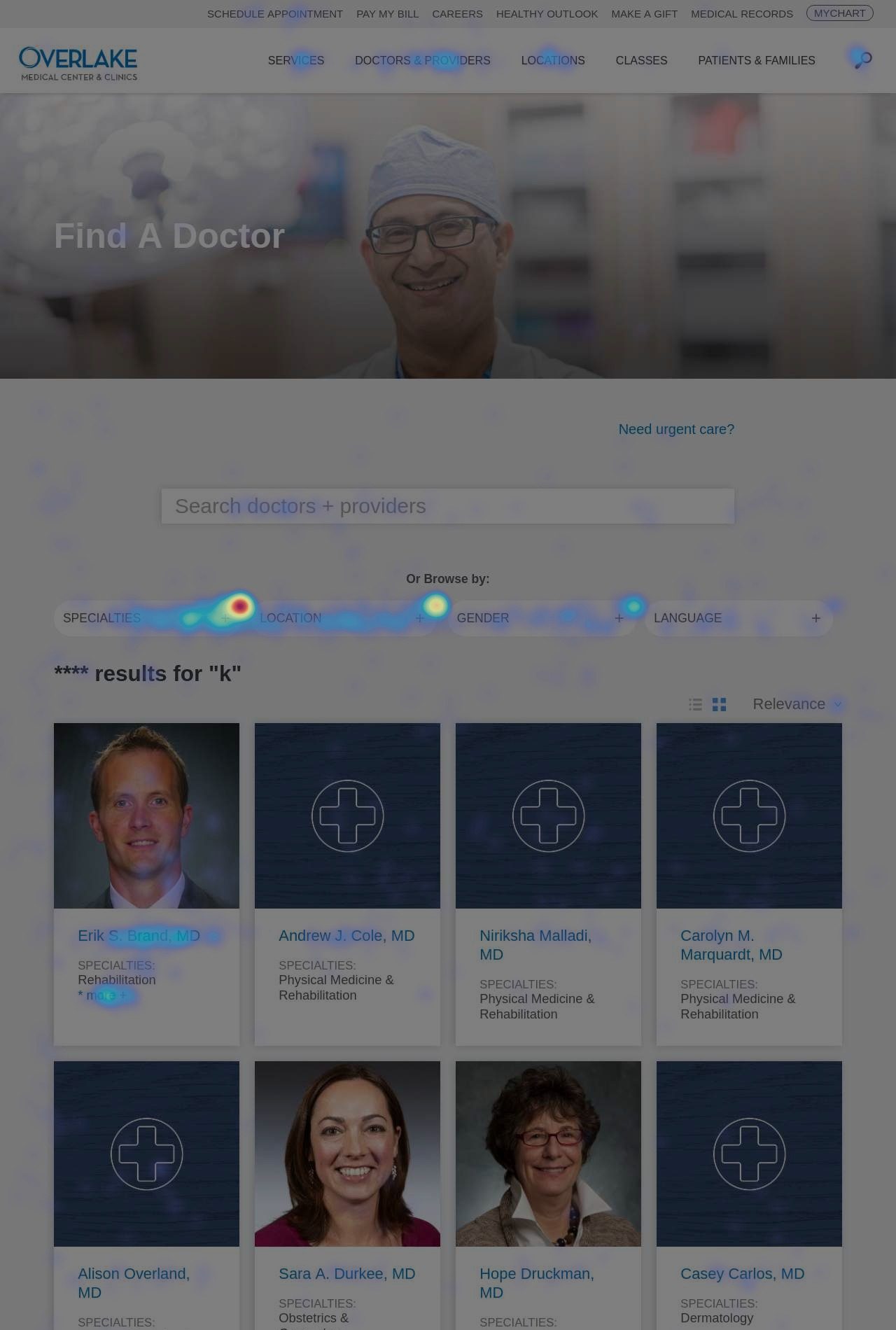
What I learned:
- The majority of users felt search results didn't match their expectations
- Search result cards didn't provide enough context
- Using search filters was a laborious experience
- Informational pages had a high cognitive load
- Pages often buried important information
- Providers' locations were unclear
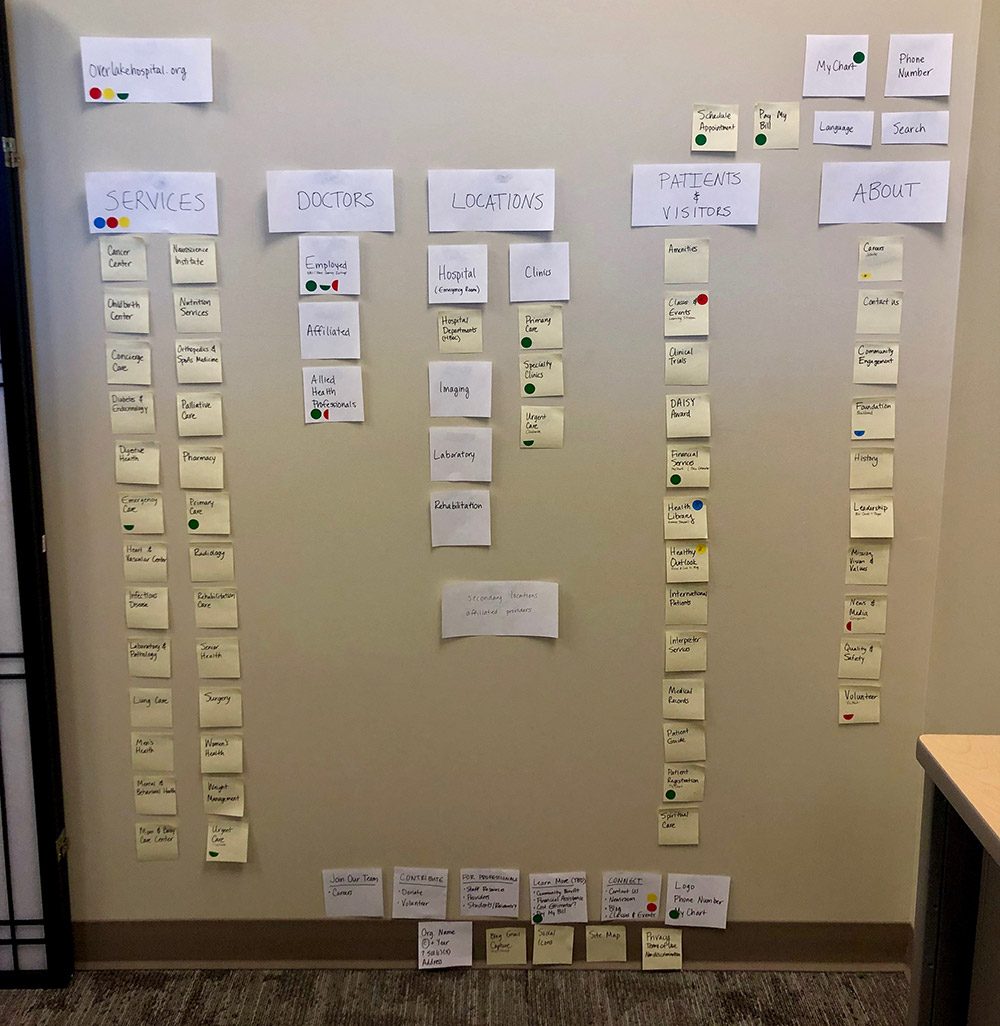
After reviewing Google Analytics, surveys, and internal feedback with my manager, we learned that users weren't seeing the connections between service lines, doctors, and locations; that location types and their naming conventions were a source of confusion; and that there weren't clear content lanes for patient information versus information about the organization.
So we focused on making Services have a clearer sense of hierarchy, simplifying location types with clear naming conventions, organizing patient and visitor content into one section, and having the About section shine a light on the organization's values, community focus, and leadership.
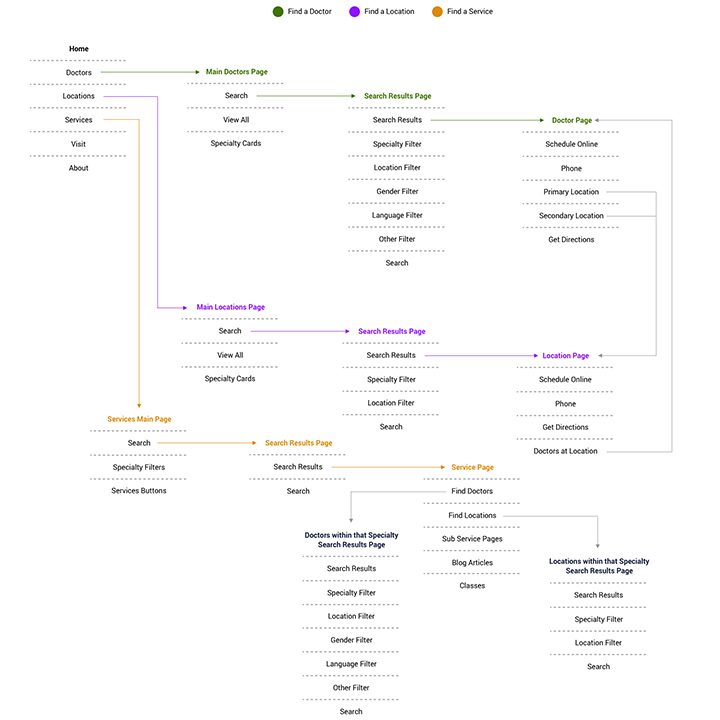
There's a wide variety of tasks a patient or visitor might visit the site to accomplish. Weighing business goals against customer goals, we focused on three: finding and scheduling with a new doctor, finding and scheduling at a new location, and learning about services.
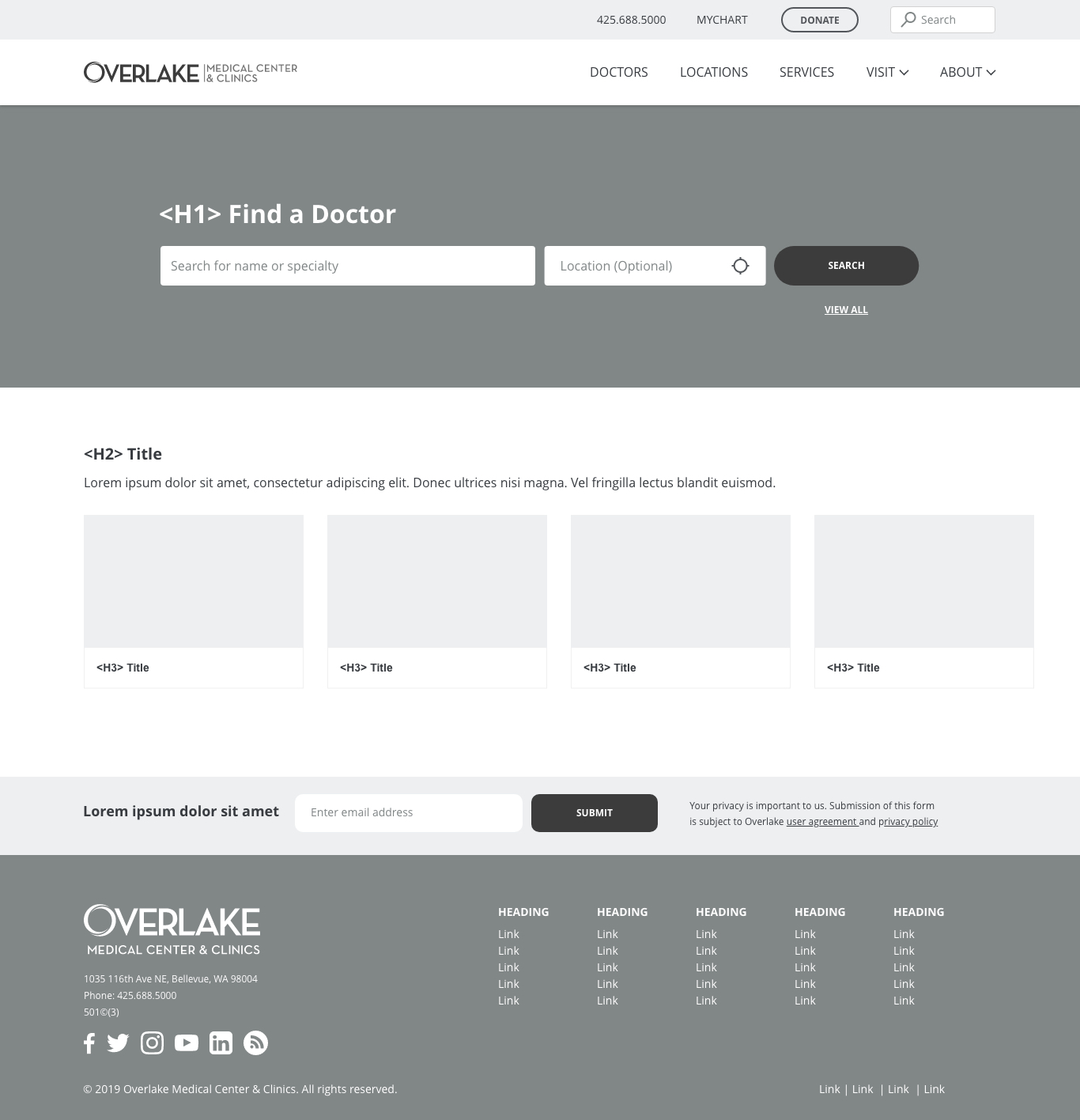
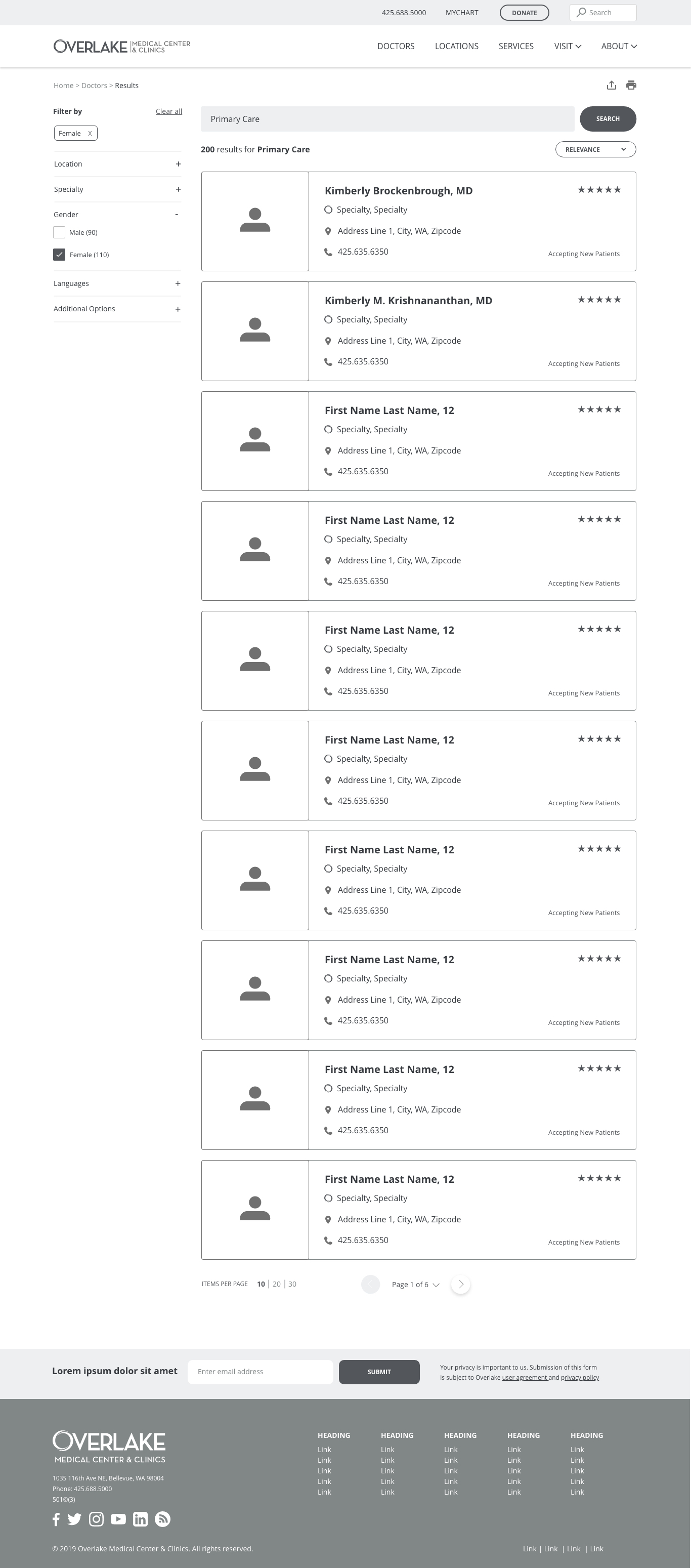
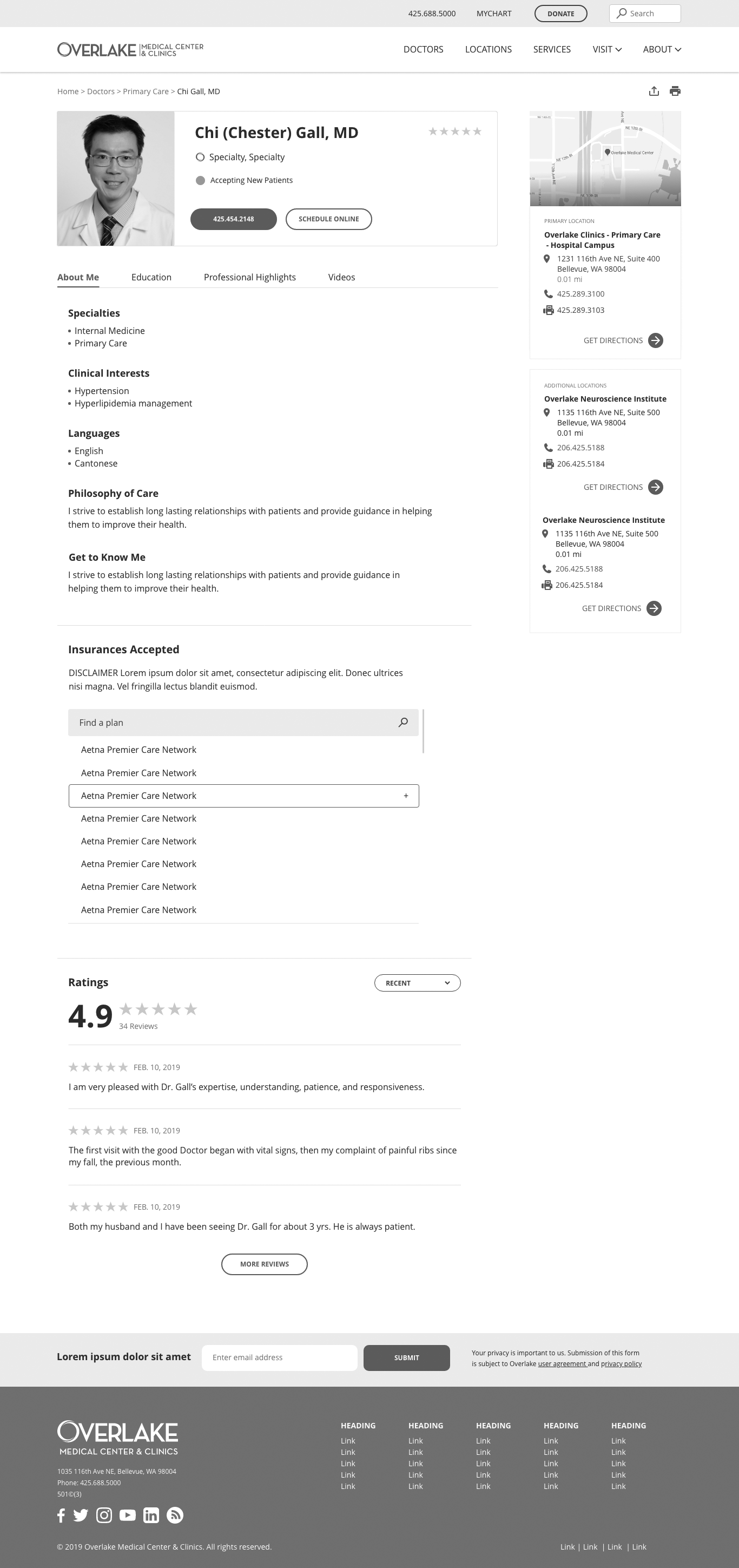
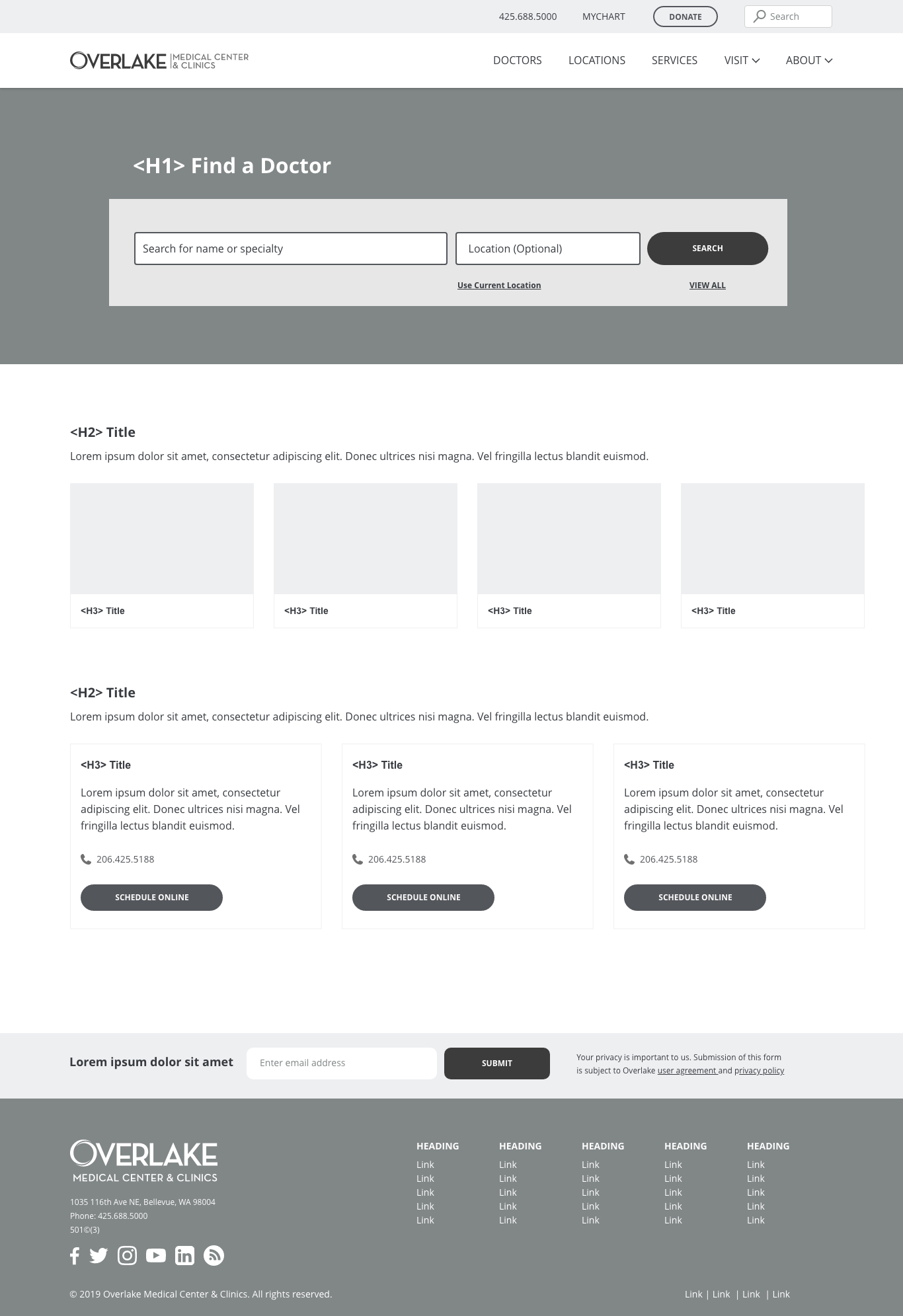
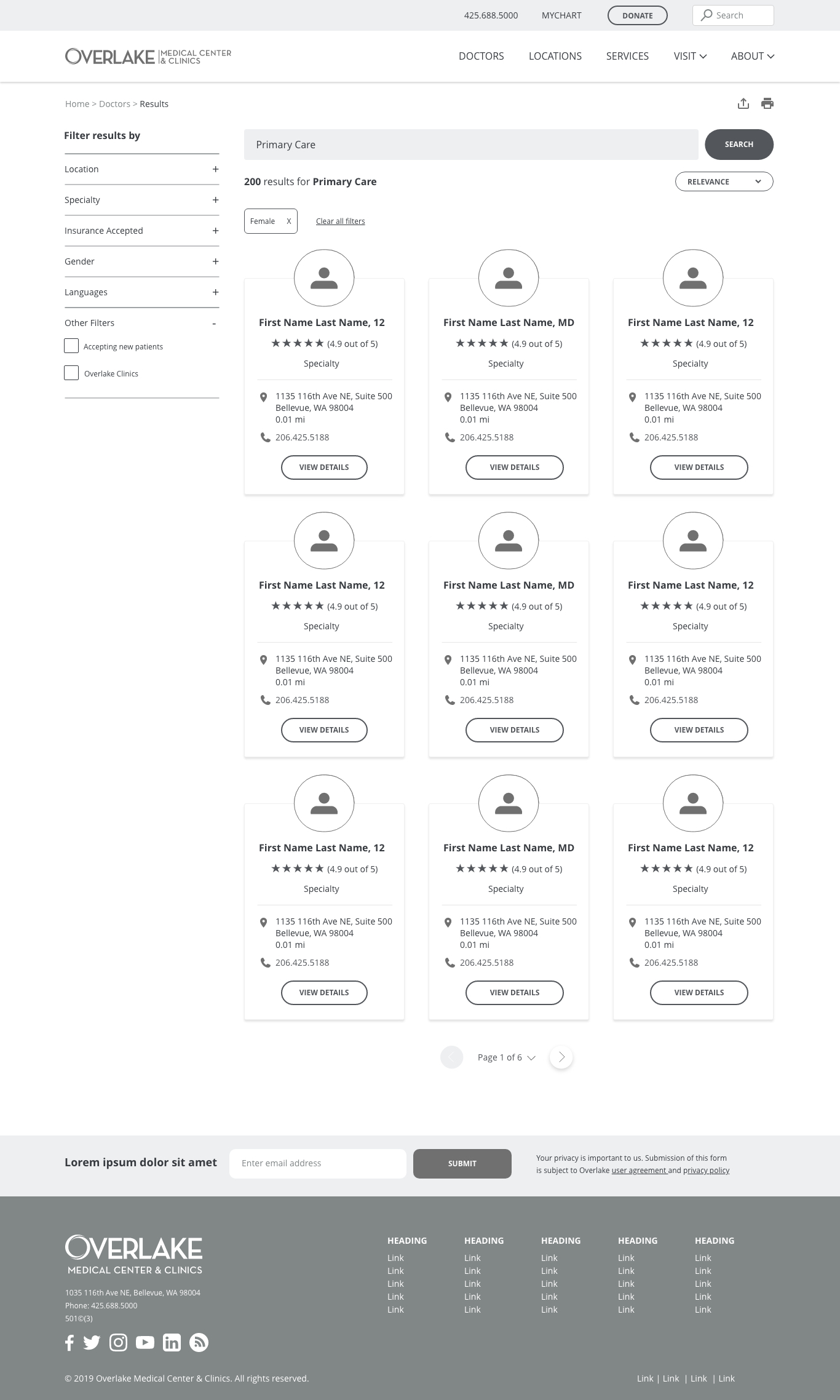
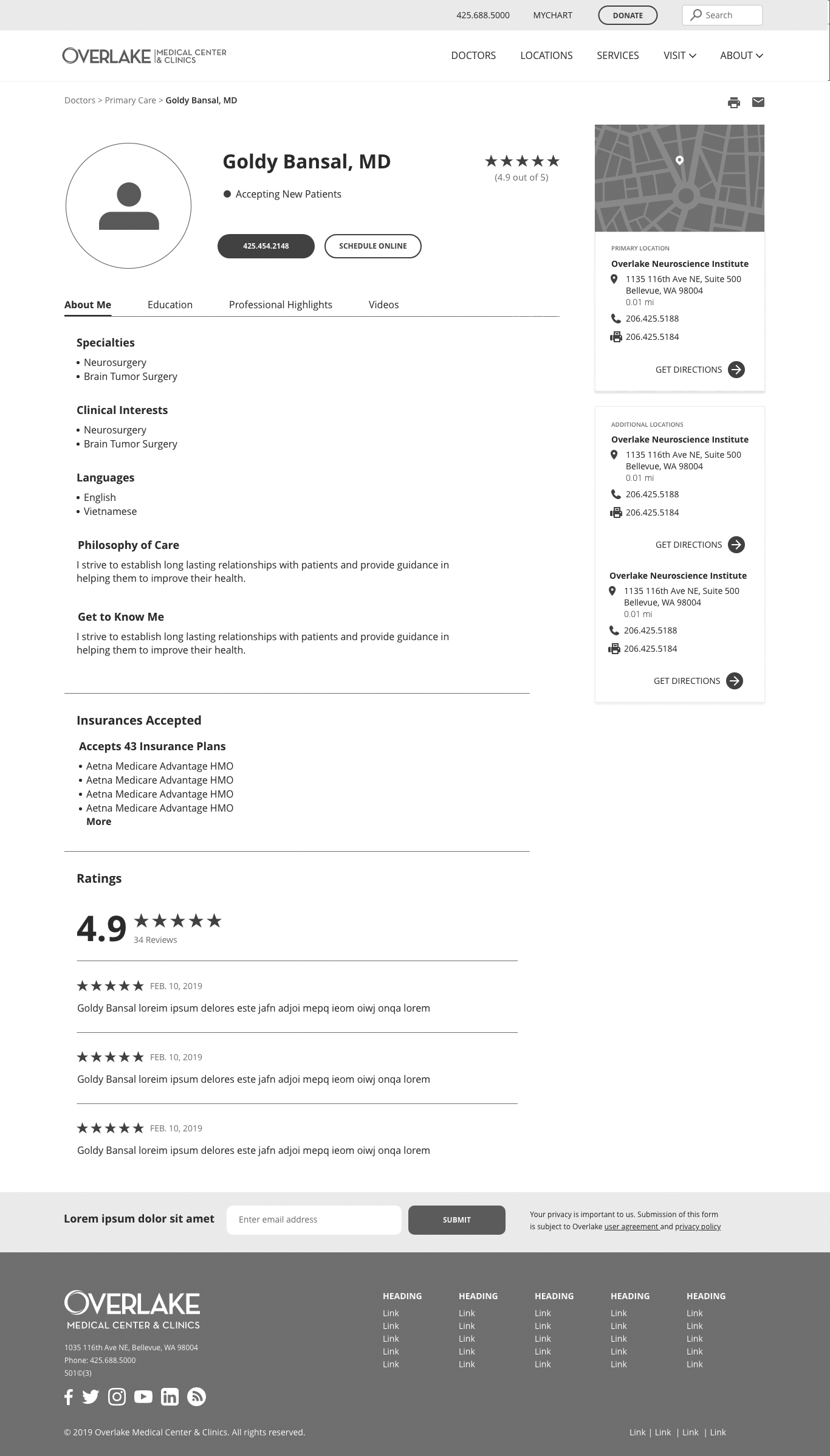
I explored ten directions for the Find a Doctor flow, then narrowed to two strongest versions, working through the search, results, and profile pages on both desktop and mobile before moving to testing.
Version 1
Desktop
Mobile



Version 2
Desktop
Mobile



I ran remote, unmoderated tests using UsabilityHub and Optimal Workshop. One test compared two options for the mobile menu, asking users to complete two tasks: find the area to call the hospital, and find the area to access MyChart.
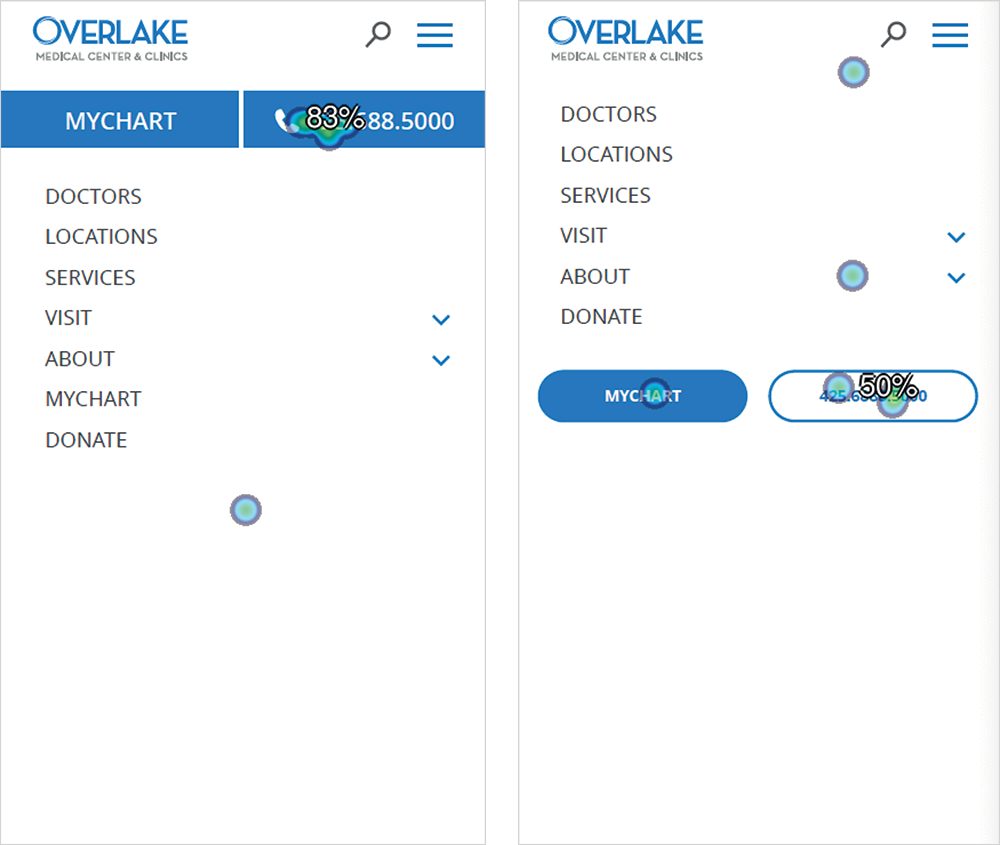
Users preferred design Option 1, with the fewest failures to find information and complete both tasks. On Option 1, users completed tasks in roughly two to three seconds.
Final Designs
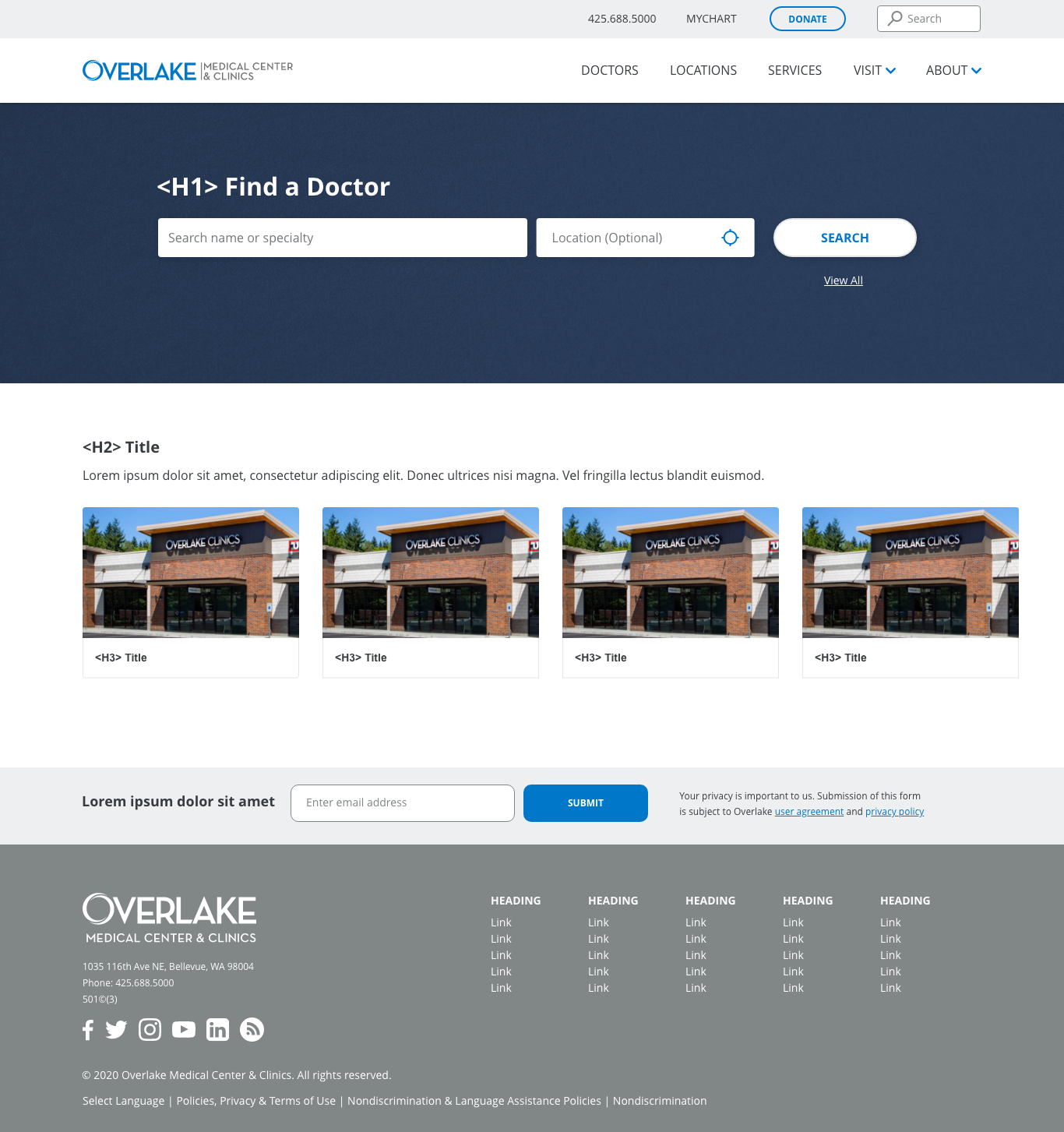
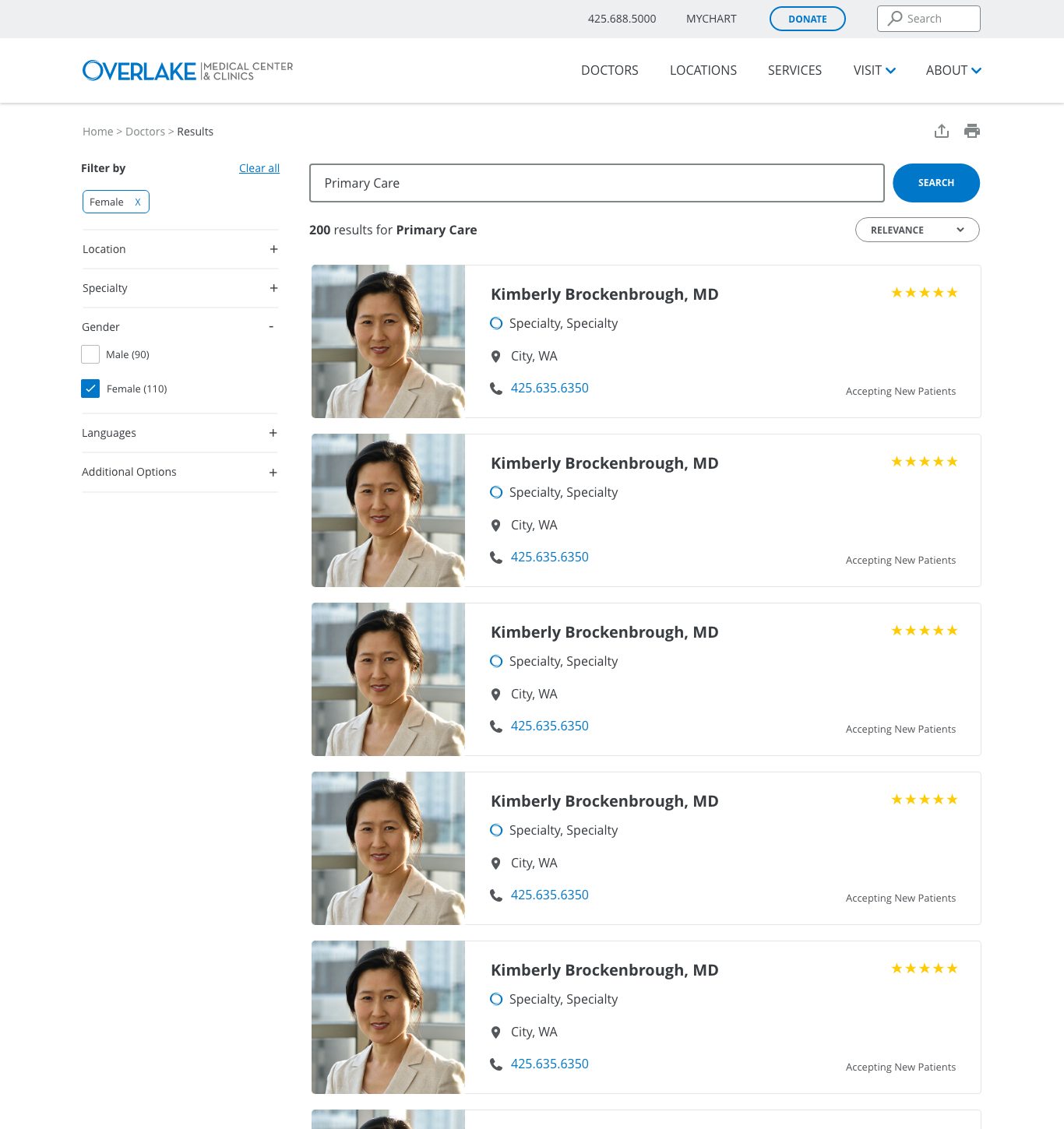
The shipped design made one notable pivot from the wireframes: search results moved from the multi-column, ratings-first grid to a single-column list prioritizing specialty, address, and phone, a more scannable format for a decision people wanted to make quickly.
Desktop
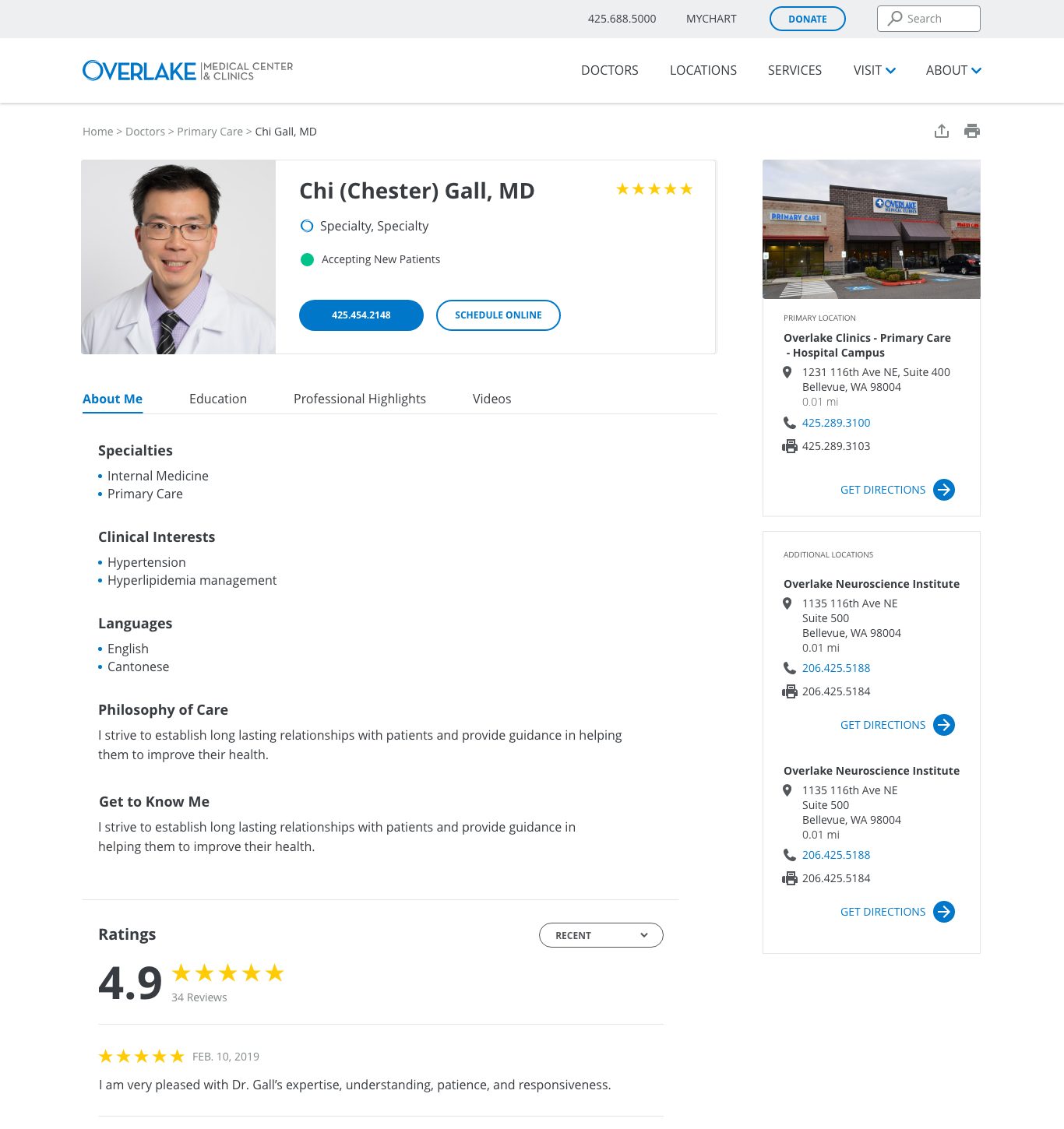
Mobile



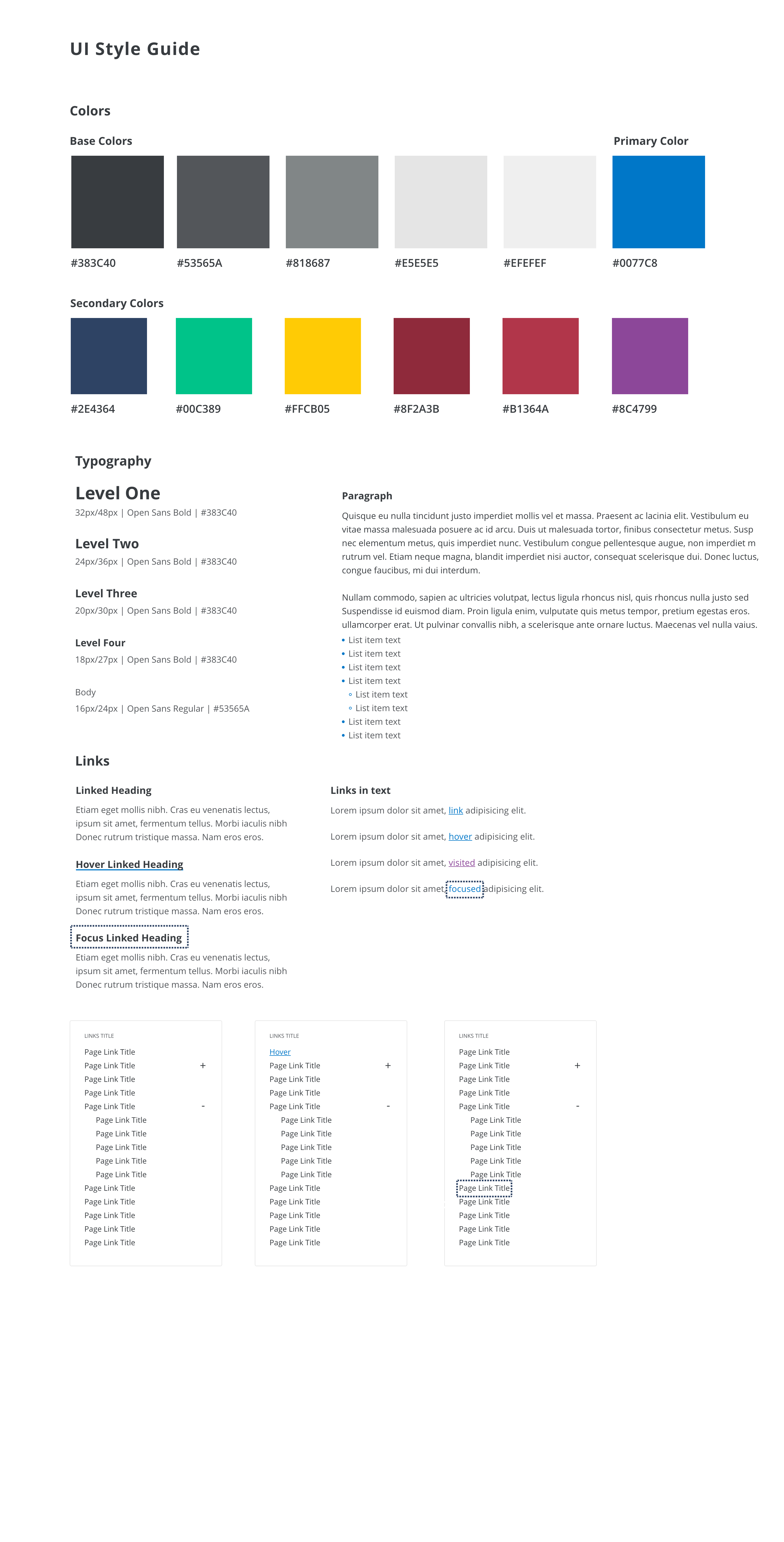
As the sole designer on the project, I created the design system behind the new site from the ground up: typography, color, and every component, each documented with its full set of interaction states. It gave developers a single source of truth to build from, and it's what made the "solid site foundation" goal real: new pages and features could be assembled from parts that already worked together.
Foundations
- Typography: Open Sans throughout, with four bold heading levels (32, 24, 20, and 18px) and a 16px body size on a 1.5 line height for comfortable reading on dense medical content
- Color: a five-step neutral scale from charcoal (#383C40) to light gray (#EFEFEF), Overlake blue (#0077C8) as the primary, and a supporting secondary palette, with navy for hover states and two deep reds reserved for urgent care, ER, and error messaging
- Links: distinct default, hover, visited, and focused treatments, so people can always tell where they've been and where they are
Components
From those foundations I built out the component library the site needed, including buttons, form fields, dropdowns, filter tags, breadcrumbs, share and print controls, accordions and checkboxes for search filters, toggles, tooltips, tabs, pagination, content and event cards, carousels for doctors, videos, and classes, and the desktop and mobile navigation.
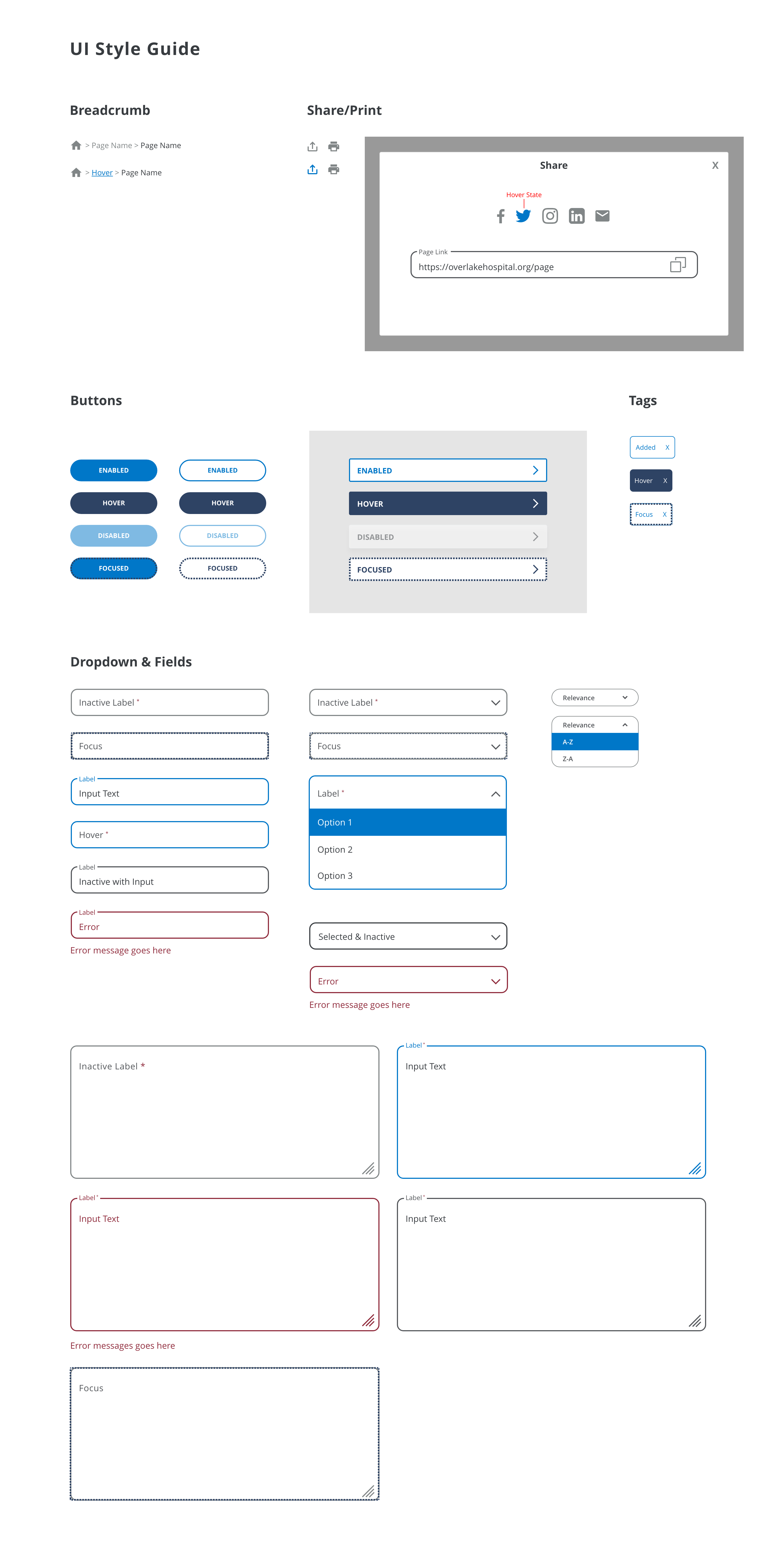
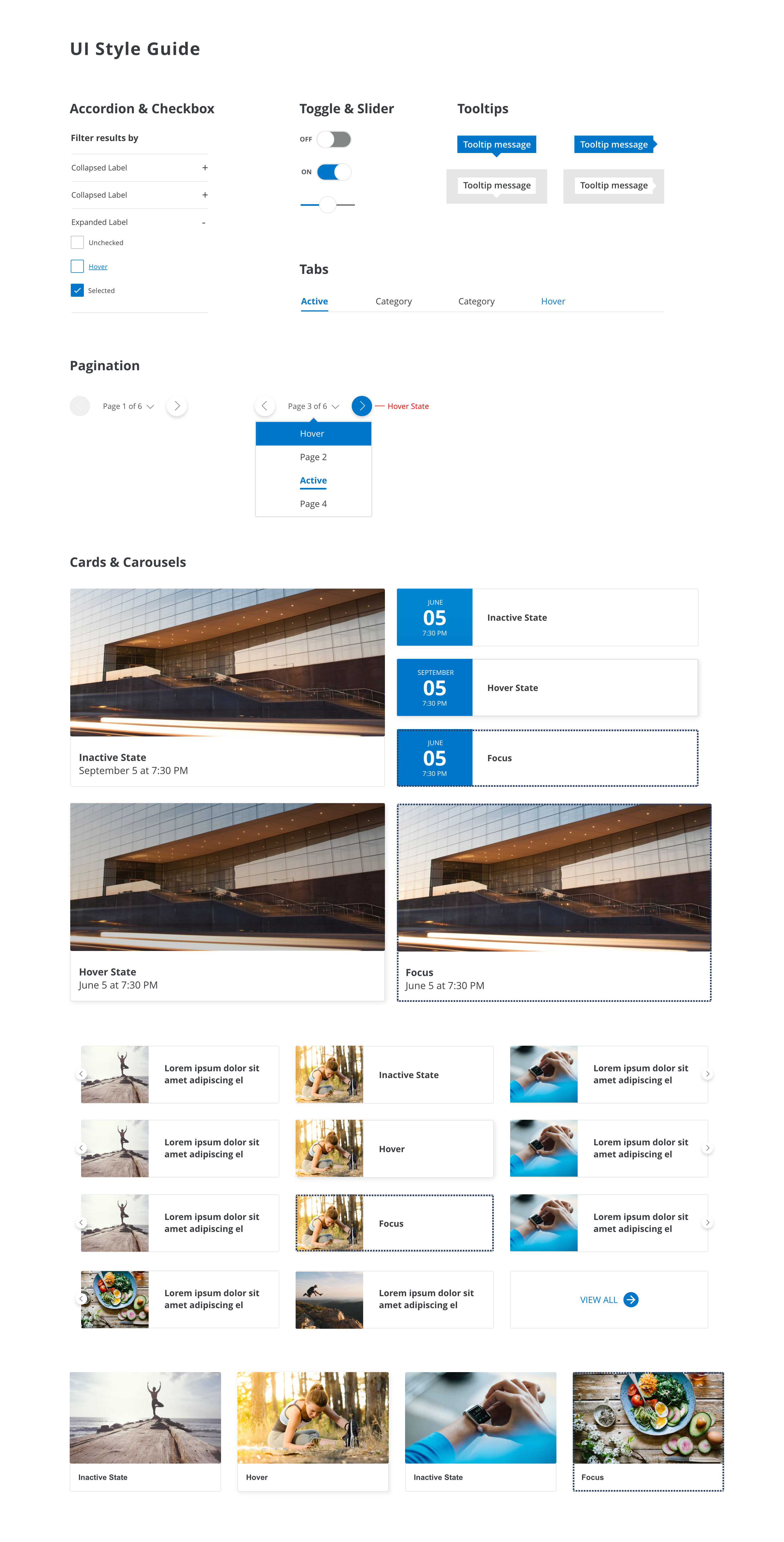
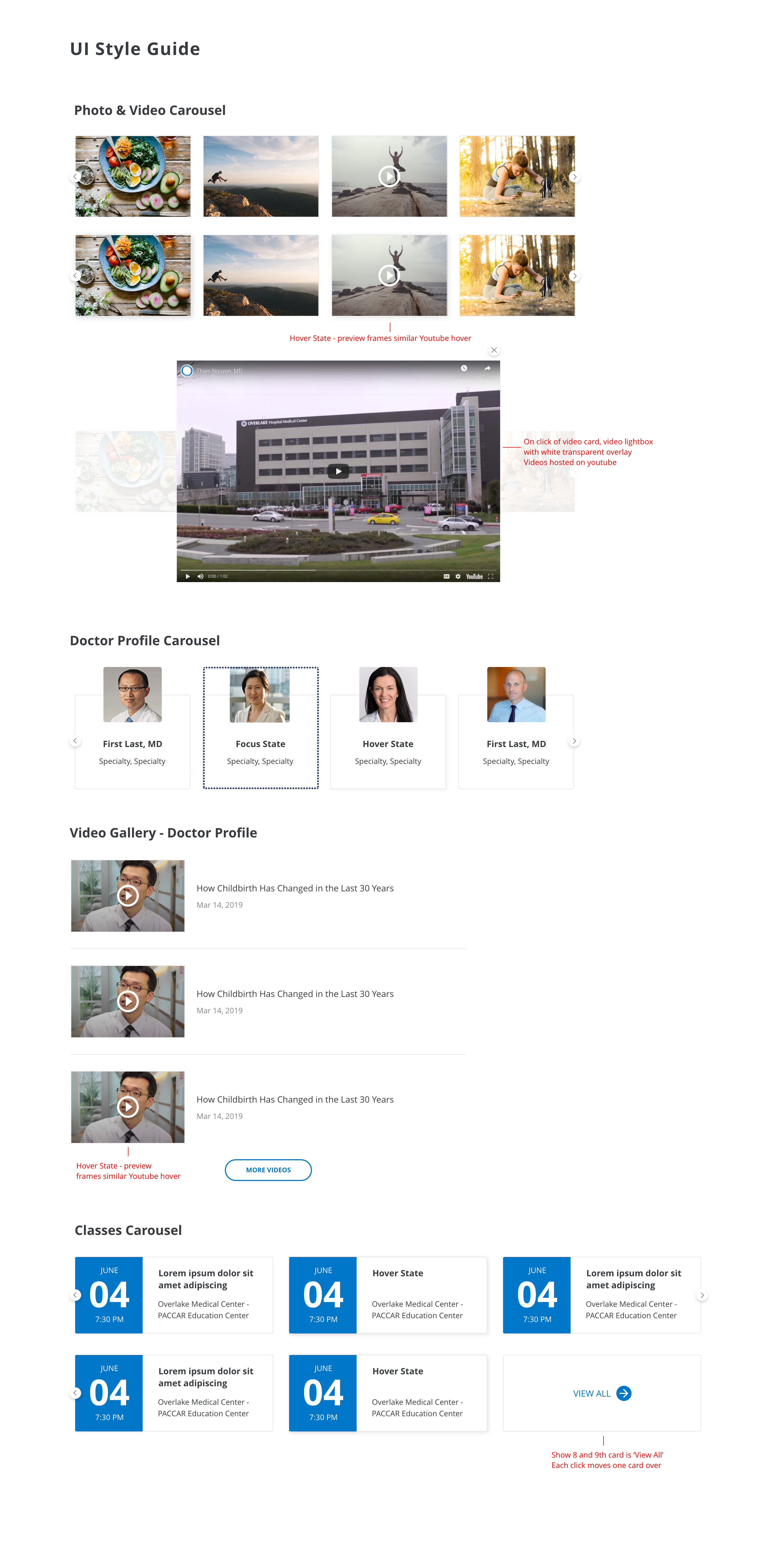
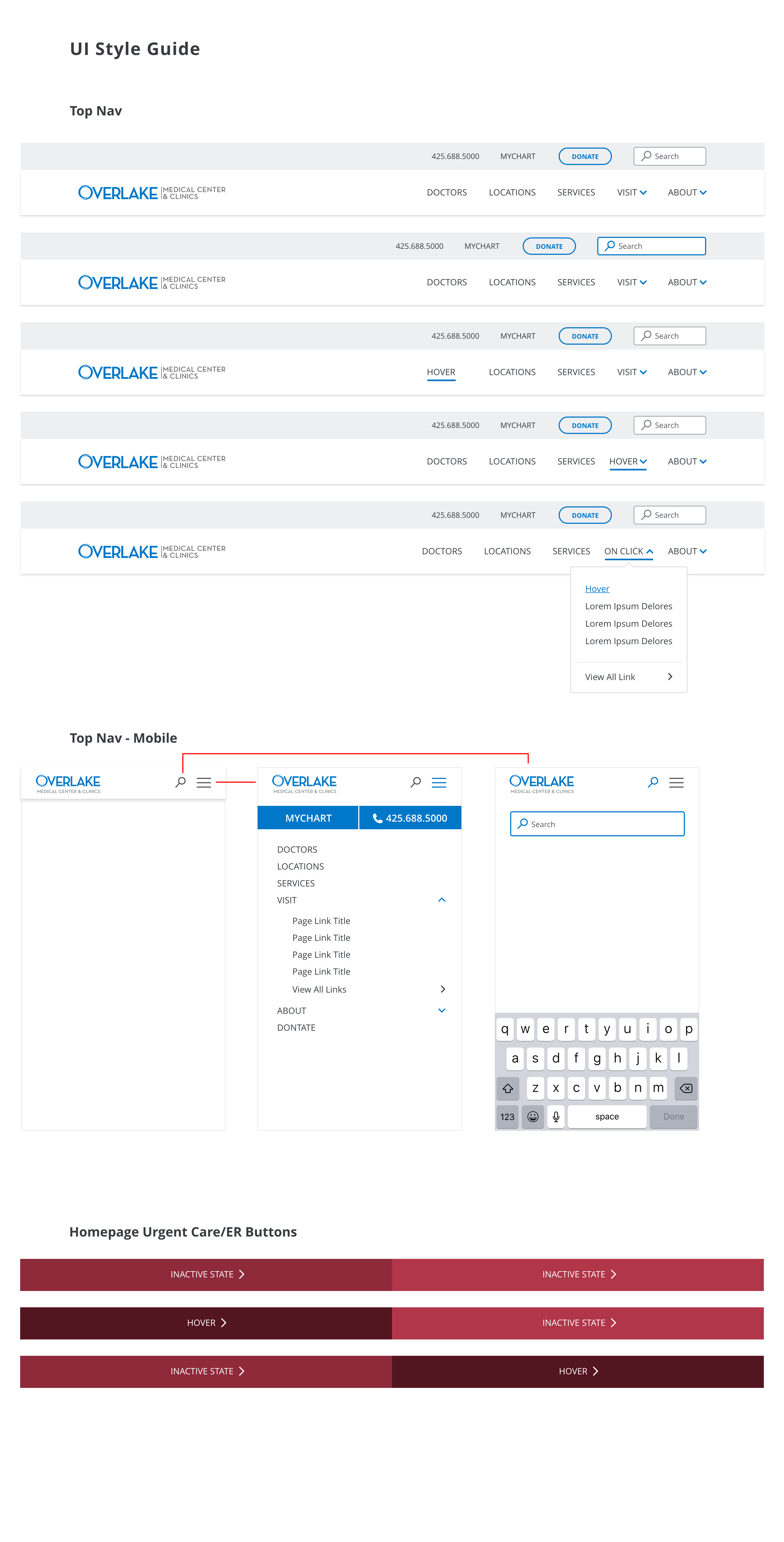
Accessibility was built into the system rather than added after. Every interactive component has a clearly visible focus state for keyboard users, errors pair color with a written message, and the type scale and color pairings were chosen for legibility, supporting the project's goal of a more accessible site.
The redesigned search and site structure shipped, and the results followed quickly: usage climbed, the work was recognized externally, and the team walked away with a foundation built to keep improving.
Reviews with stakeholders were positive, post-launch feature development was scheduled for continued growth, and site accessibility improved alongside the redesign.